¶ Notification templates - Email template editor
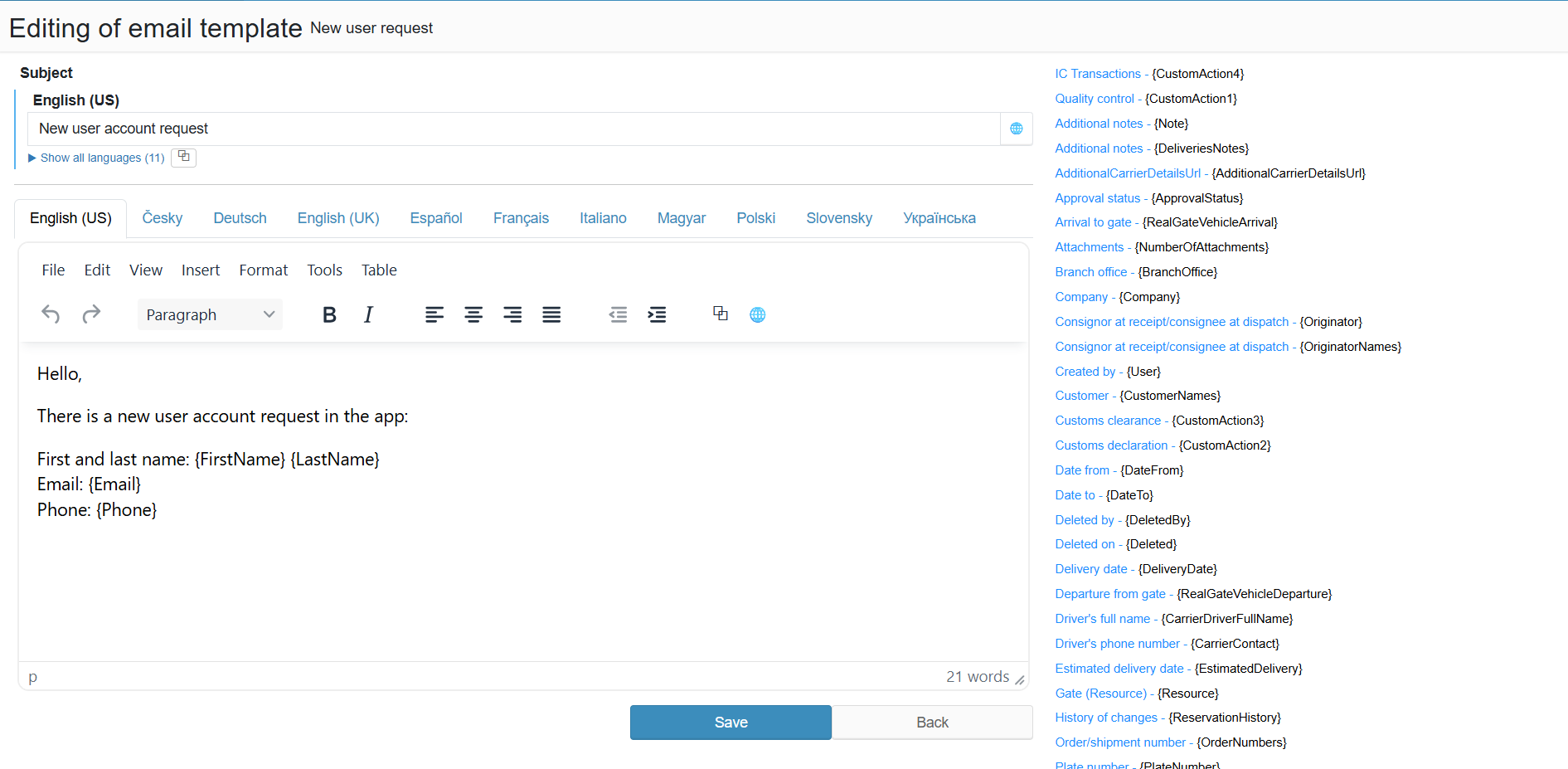
The form is used to edit the content of a system email template. The subject and body support multiple languages; available variables are listed on the right and can be inserted directly into the content.
¶ Legend
1. Subject
Multilingual email subject; the "Show all languages" button expands all language versions at once.
2. Body
Multilingual WYSIWYG content editor; switch between languages using the tabs (English (US), Česky, Deutsch, English (UK), Español, Français, Italiano, Magyar, Polski, Slovensky, Українська).
3. Available variables
List of system variables in Name - {Token} format; inserting a token into the subject or body will replace it with the actual value at send time (e.g. {ReservationNumber}, {Carrier}, {DateFrom}, {DateTo}, {EmailSender}, {BranchOffice} and more).