¶ View Switcher
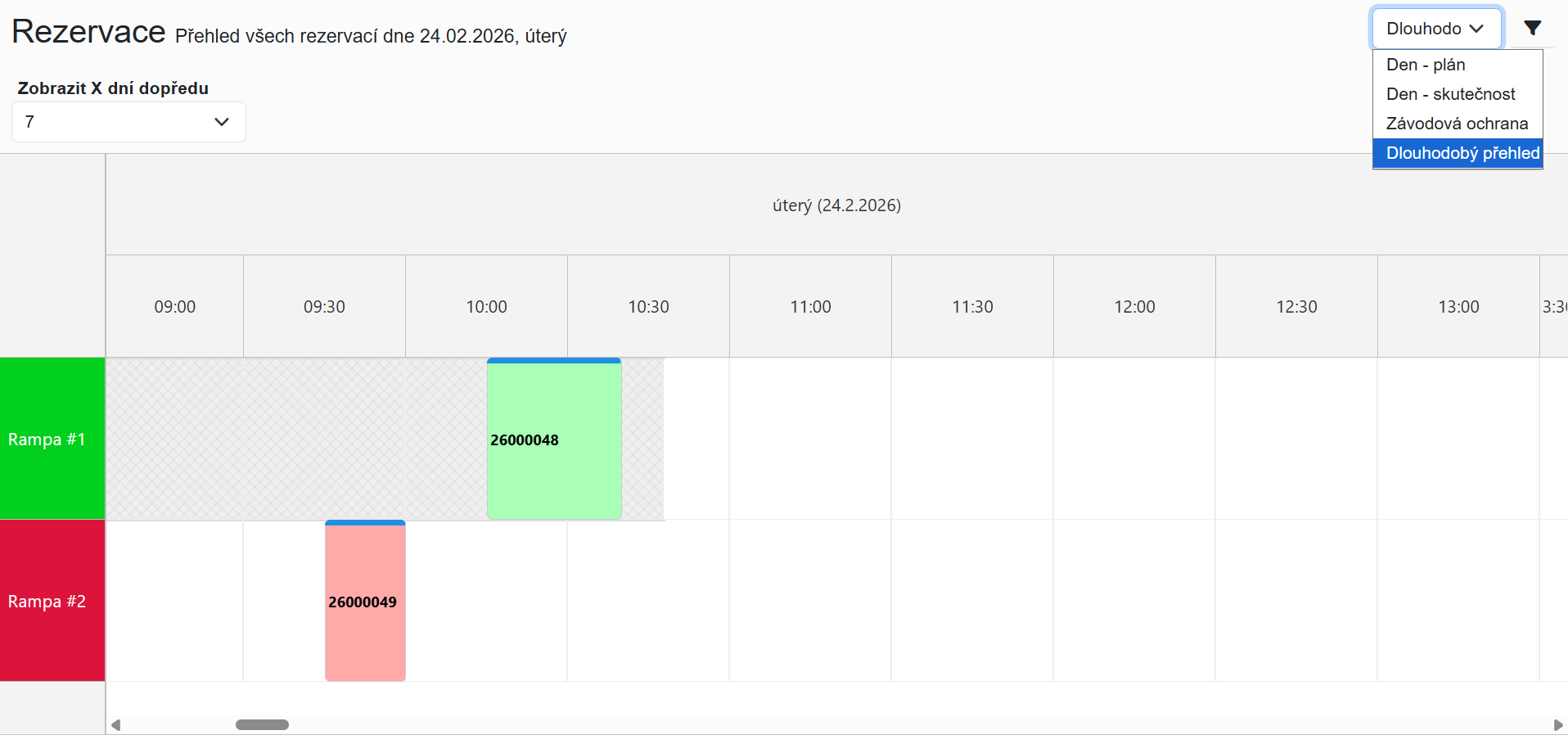
The view switcher is used to switch between different ways of displaying logistics operations.
It is located in the top-right corner of the application.
After logging in, the default view displayed is Day – Plan.

¶ Available Views
The application offers four main types of views:
- Day – Plan
- Day – Actual
- Gate Security
- Long-Term Overview
Each of them is designed for a different type of work with data.
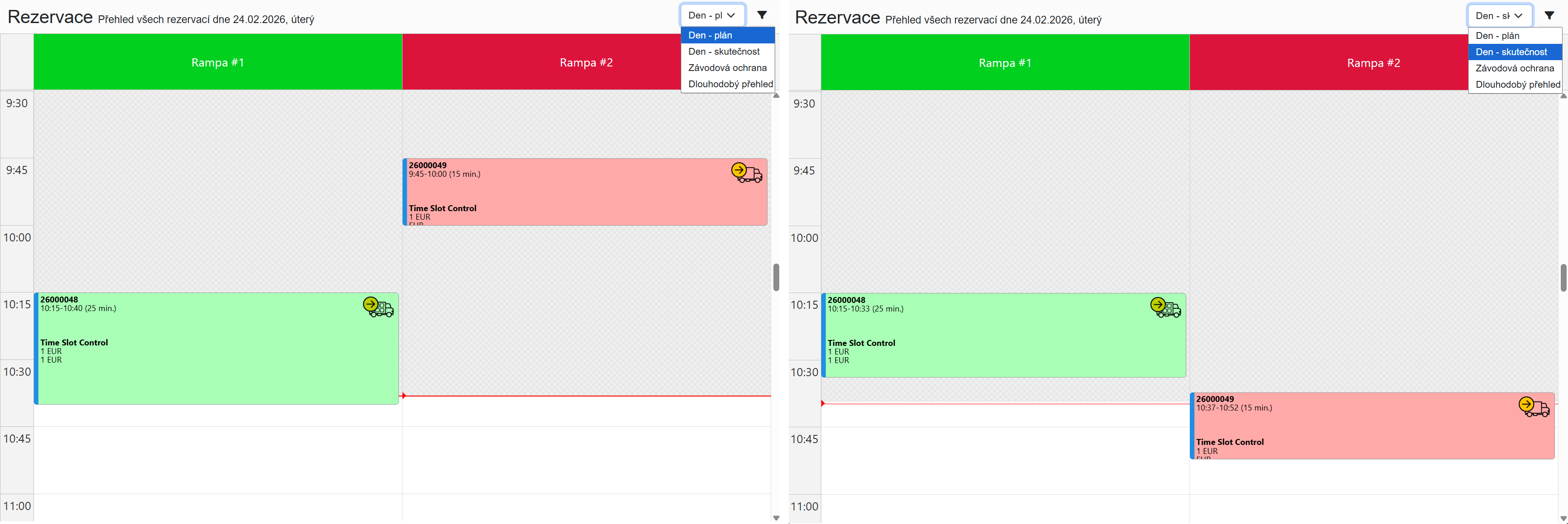
¶ Day – Plan
The main operational view for everyday planning.
It displays:
- planned reservations for the selected day
- their time distribution across individual loading docks
It is mainly used for:
- planning logistics operations
- monitoring dock utilization
- organizing warehouse work
¶ Day – Actual
Displays the real progress of transports and the actual utilization of loading docks.
It allows you to compare:
- the planned state
- the actual progress
This makes it easy to evaluate:
- delays
- early arrivals
- actual handling times
¶ Gate Security
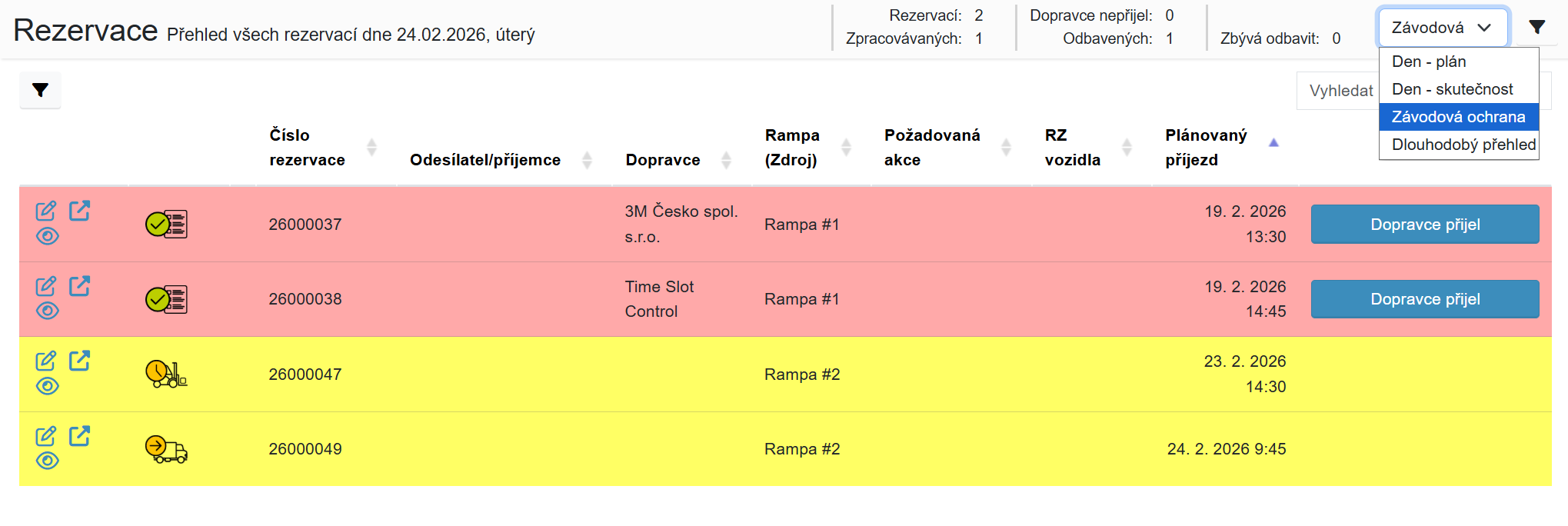
A view intended for gatehouse staff.
It contains a clear table of all transports scheduled for the selected day.
It allows:
- recording vehicle arrival
- recording vehicle departure
Without access to detailed reservation information.
¶ Long-Term Overview
Used for planning capacities several days in advance.
It displays:
- utilization of individual loading docks
- an overview of reservations over a longer time period
It helps to:
- plan shifts
- optimize capacities
- identify peak operation periods