¶ Branch offices administration - List
The page displays a list of all branches in the system. Branches are the basic organisational unit — every resource, user and reservation belongs to a specific branch.
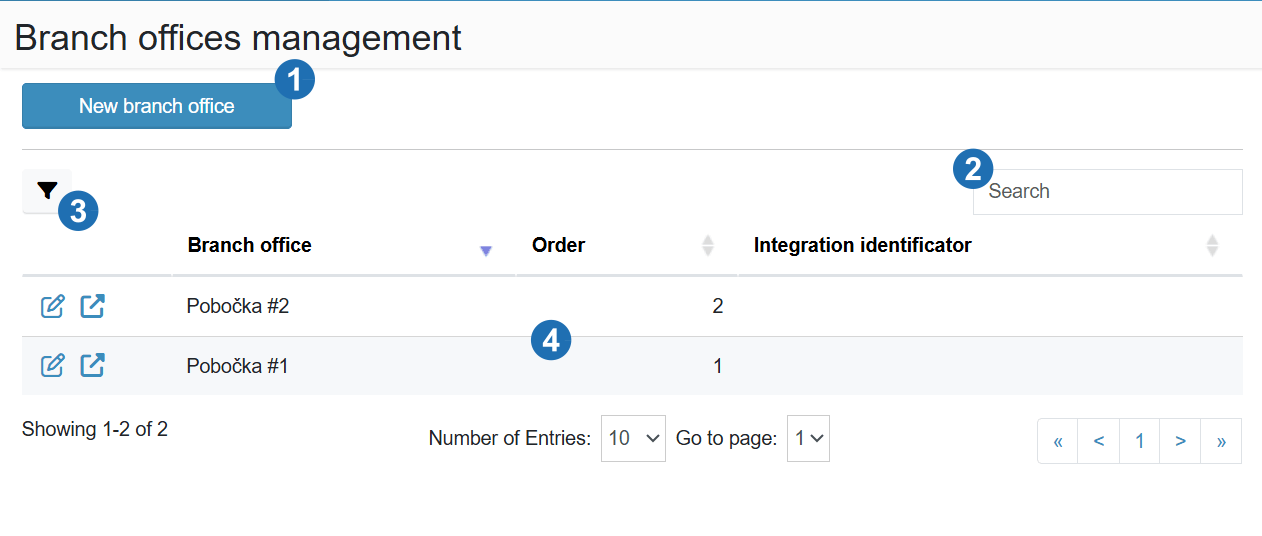
¶ Legend
1. New branch office
Button to navigate to the form for creating a new branch.
2. Search
Text search in the branch list.
3. Filter
Filter icon for filtering records in the table.
4. Table data
List of branches with columns: Branch, Order, Integration identifier; Edit and Open icons at the start of each row; pagination at the bottom of the table.