¶ Companies administration - Daily reservation limits
The Daily reservation limits tab restricts how many reservations the users of a company can create for a single day. You can set one limit shared by all branch offices, or separate limits for individual branch offices.
¶ Setting a limit
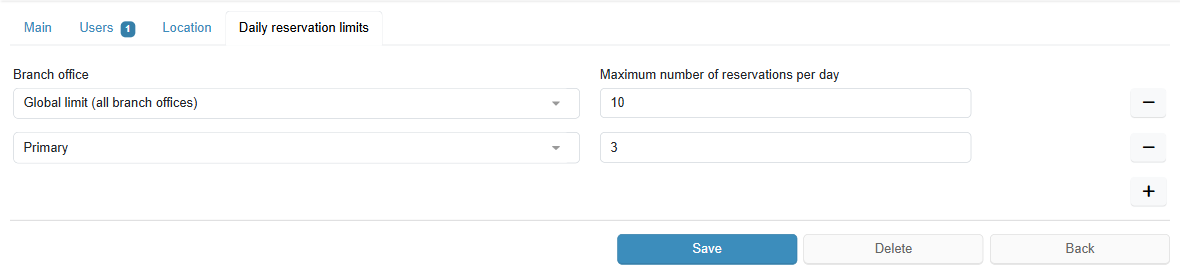
Each row of the tab is one limit. Add a row with the + button and remove it with the − button. Changes are saved together with the whole company form when you click Save.
¶ Global limit and branch office limits
| Setting | Behavior |
|---|---|
| No limit | The company can create reservations without restriction. |
| Global limit only | The limit applies to the total of reservations across all branch offices combined. |
| Limit for a specific branch office | Reservations at this branch office follow its own limit, and only reservations at this branch office are counted. A branch office limit takes precedence over the global limit. |
| Global limit + limits for some branch offices | Branch offices with their own limit follow it; all other branch offices fall under the global limit. |
¶ How the limit is counted
¶ What the user sees when the limit is reached
While the reservation form is being filled in, the system continuously checks the selected date. If the limit for that day is used up, the following message appears next to the date:
Together with the message, a Find the nearest free term link is shown; clicking it fills the found date into the form. The system searches for a free term within the next 30 days. If none is found, the message is shown without a suggested date: "The maximum number of reservations per day for your company has been reached. Please choose a different date."