¶ Notification templates - Custom email template editor
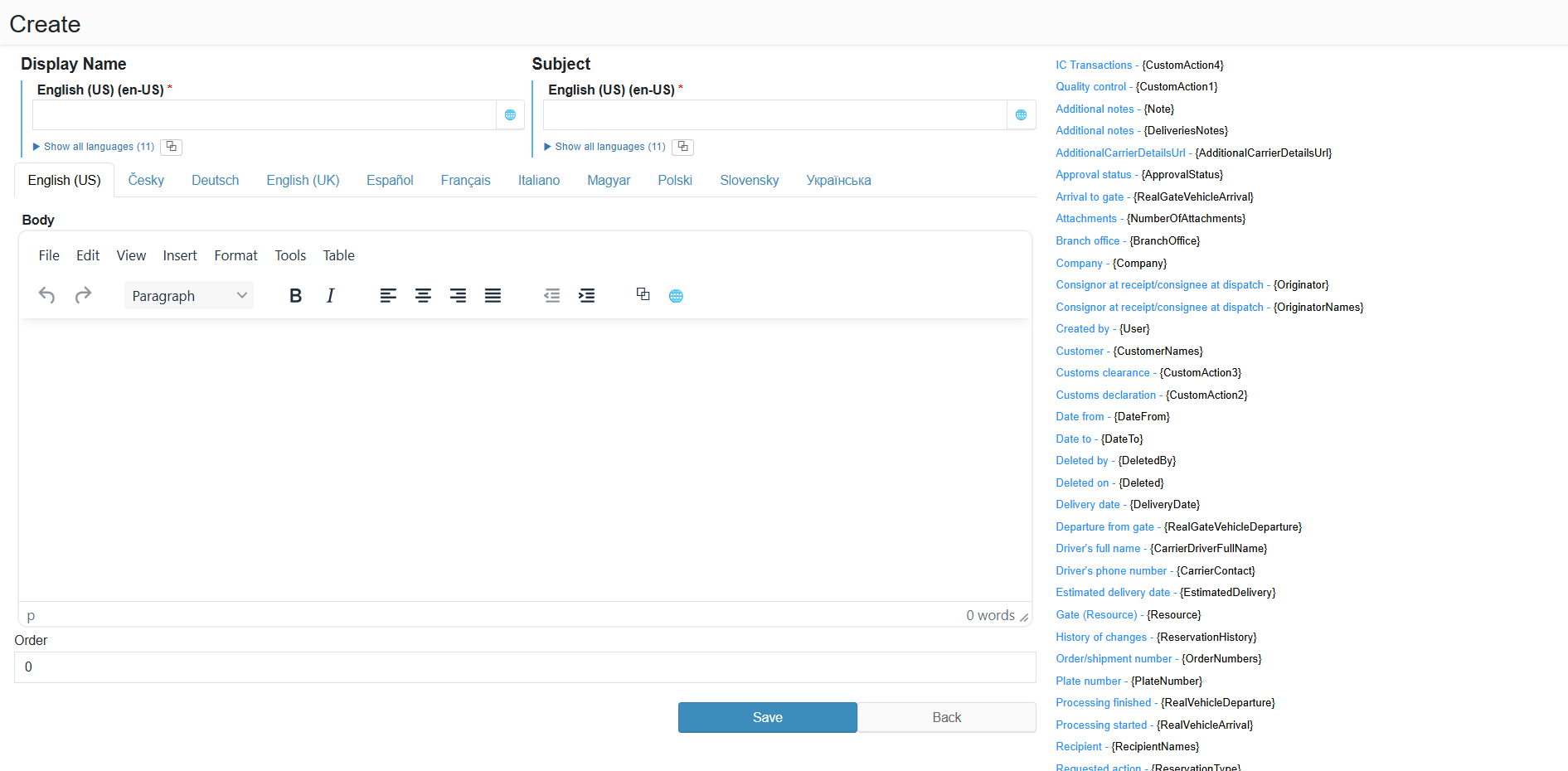
The form is used to create or edit a custom email template. The display name, subject and body all support multiple languages; available variables are listed on the right.
¶ Legend
1. Display name
Multilingual name of the template (required); the "Show all languages" button expands all language versions at once.
2. Subject
Multilingual email subject (required); the "Translate to all languages" button copies the text to all language versions.
3. Body
Multilingual WYSIWYG content editor; switch between languages using the tabs (English (US), Česky, Deutsch, English (UK), Español, Français, Italiano, Magyar, Polski, Slovensky, Українська).
4. Order
Display order of the template in the custom templates list.
5. Available variables
List of system variables in Name - {Token} format; inserting a token into the subject or body will replace it with the actual value at send time (e.g. {ReservationNumber}, {Carrier}, {DateFrom}, {EmailSender} and more).