¶ Reservations - Resource management (ramps)
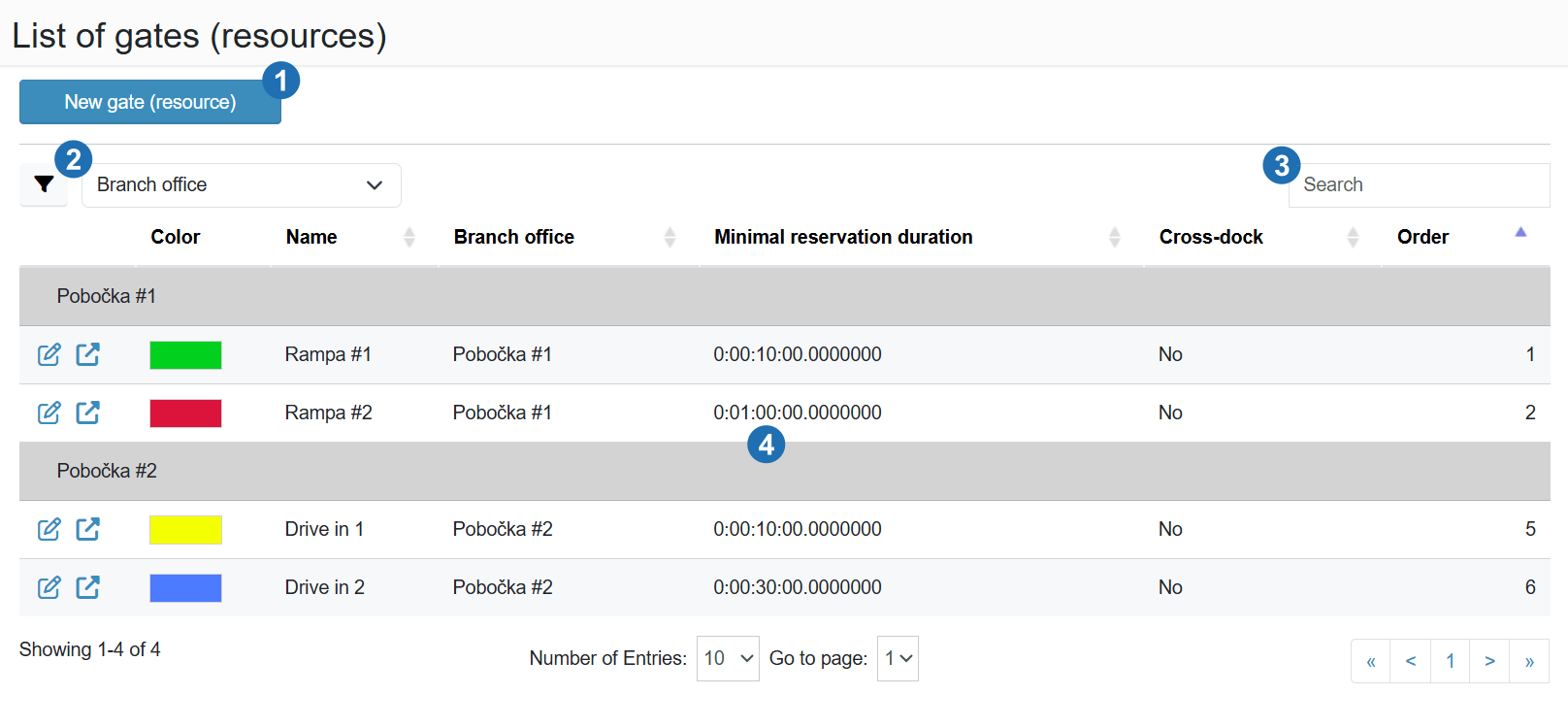
The page displays a list of all defined resources (ramps) with filtering, search, editing, and new resource creation options.
¶ Legend
1. New gate (resource)
Button for creating a new gate (resource).
2. Branch office filter
The funnel button shows filter fields under the column headers. The drop-down next to it sets the column used to group the ramps (Branch office by default).
3. Search
Text search in the resource list.
4. Table data
The ramps are grouped by branch office. Columns: action icons (edit, edit in new window), Color, Name, Short name (Showed on LCD), Branch office, Opening hours (e.g. “MO–SU 07:00–17:00”, a closed day shows “Closed”), Minimal reservation duration, Properties (badges Virtual, Cross-dock, Safety signalization), Duration calculation (By units, By script, By global script) and Order. Cross-dock is not a separate column; it is shown as a badge in the Properties column.