¶ Administration - New gate (resource)
The form is used to create a new dock or other resource or edit an existing one. A resource is a specific physical location for which a time slot can be reserved — its configuration defines working hours, capacity and access rules for each role.
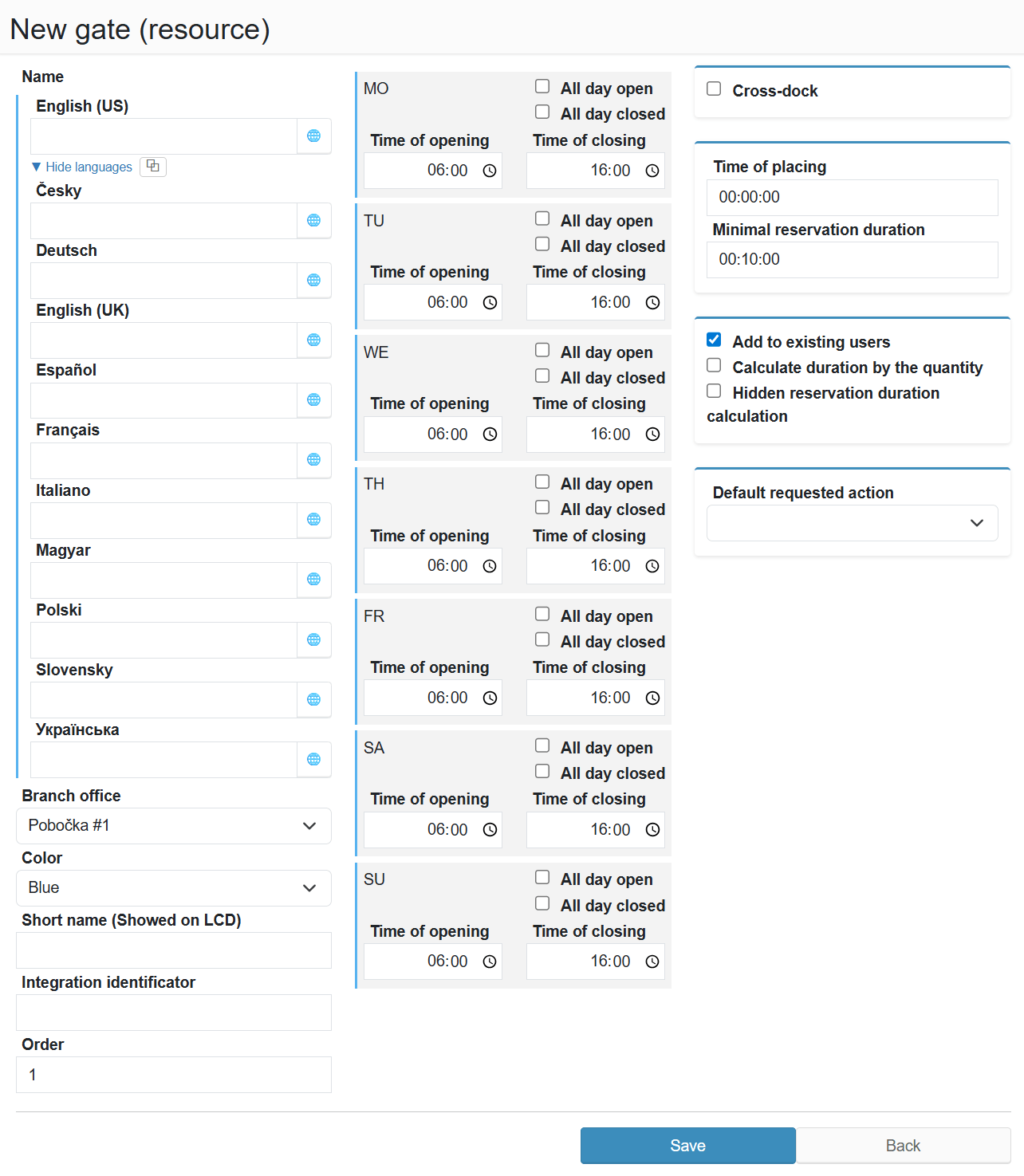
¶ Legend
1. Name
Multilingual name of the resource displayed in the reservation overview (required).
2. Branch office
Branch the resource belongs to (required).
3. Color
Resource colour in the reservation overview.
4. Short name (Showed on LCD)
Abbreviated name displayed on the LCD screen.
5. Integration identificator
Identifier for connecting with an external system.
6. Order
Display order of the resource in the overview.
7. Working hours (Mon–Sun)
Operating hours for each day of the week (time of opening, time of closing, all day open / all day closed).
8. Cross-dock
Mark the resource as a cross-dock.
9. Time of placing
Time required to position the vehicle at the resource.
10. Minimal reservation duration
Minimum duration of a single reservation.
11. Add to existing users
The resource will be added to the profiles of existing users.
12. Calculate duration by the quantity
Reservation duration is calculated based on the entered quantity.
13. Hidden reservation duration calculation
TSC can dynamically calculate reservation duration based on pallet type, pallet count and stackability settings - this calculation normally directly determines the reservation's start and end time. When this option is enabled, the same calculation runs but its result does not affect the actual reservation duration. The calculated value is stored in a separate field available for internal reports, overviews and further calculations.
14. Default requested action
Default action suggested on vehicle arrival.