¶ API Reference Guide - Authentication
¶ Authentication
¶ Supported methods
- Basic authentication - username and password sent with every request
- JWT Bearer Token - token generated once and used in the header of subsequent requests
Both methods require a dedicated API user account with the "API access" role.
¶ Creating an API account
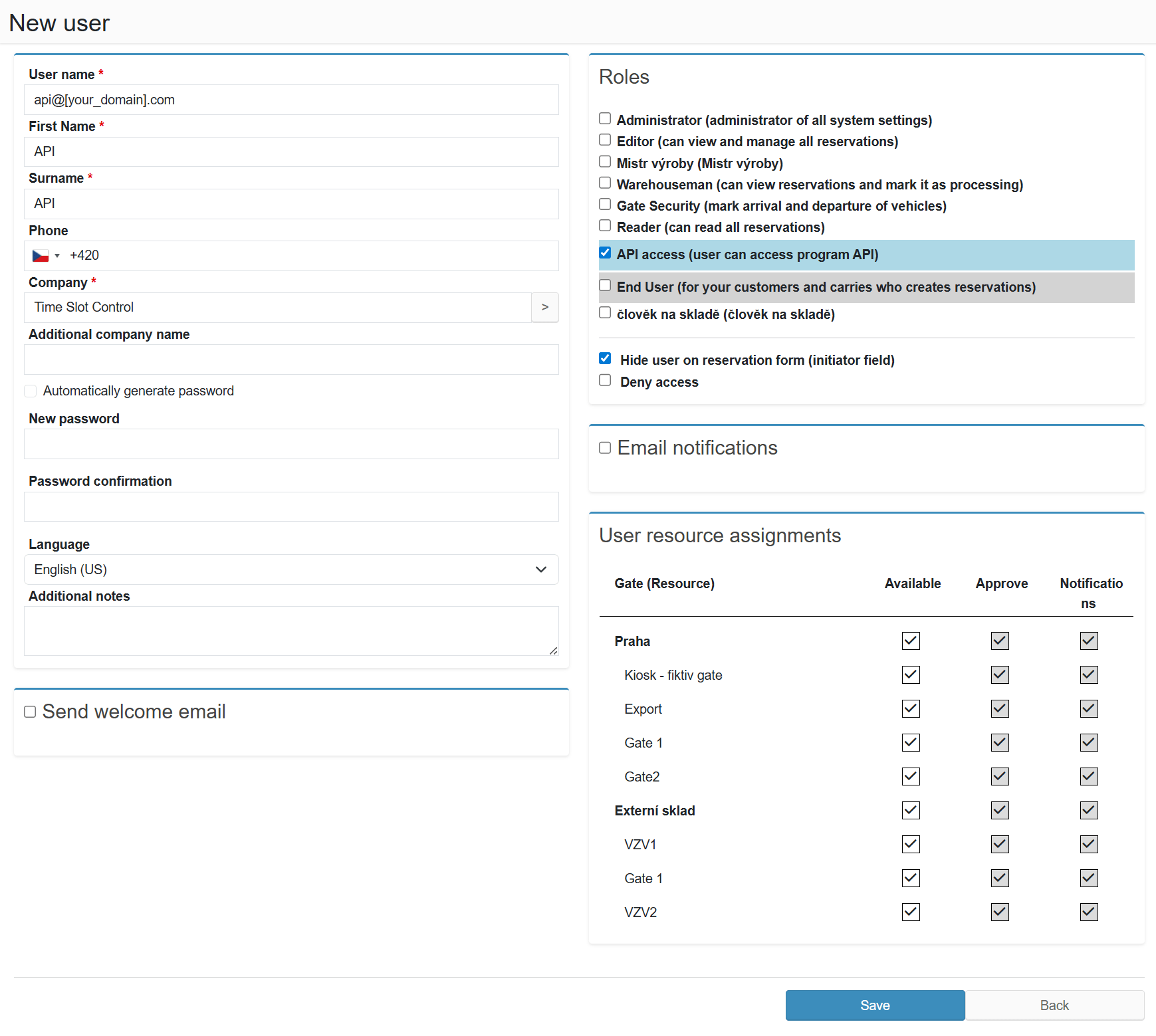
- Go to the Administration section
- Select New user
- Enter the username for the new API account (example:
api@yourdomain.com) - Choose any first and last name (e.g. "API")
- Select your own company
- Uncheck "Automatically generate password" and set a custom password
- Uncheck "Send welcome email"
- In the User roles section, select the "API access" role
- Uncheck "Email notifications"
- Save the new user
¶ Generating a JWT token
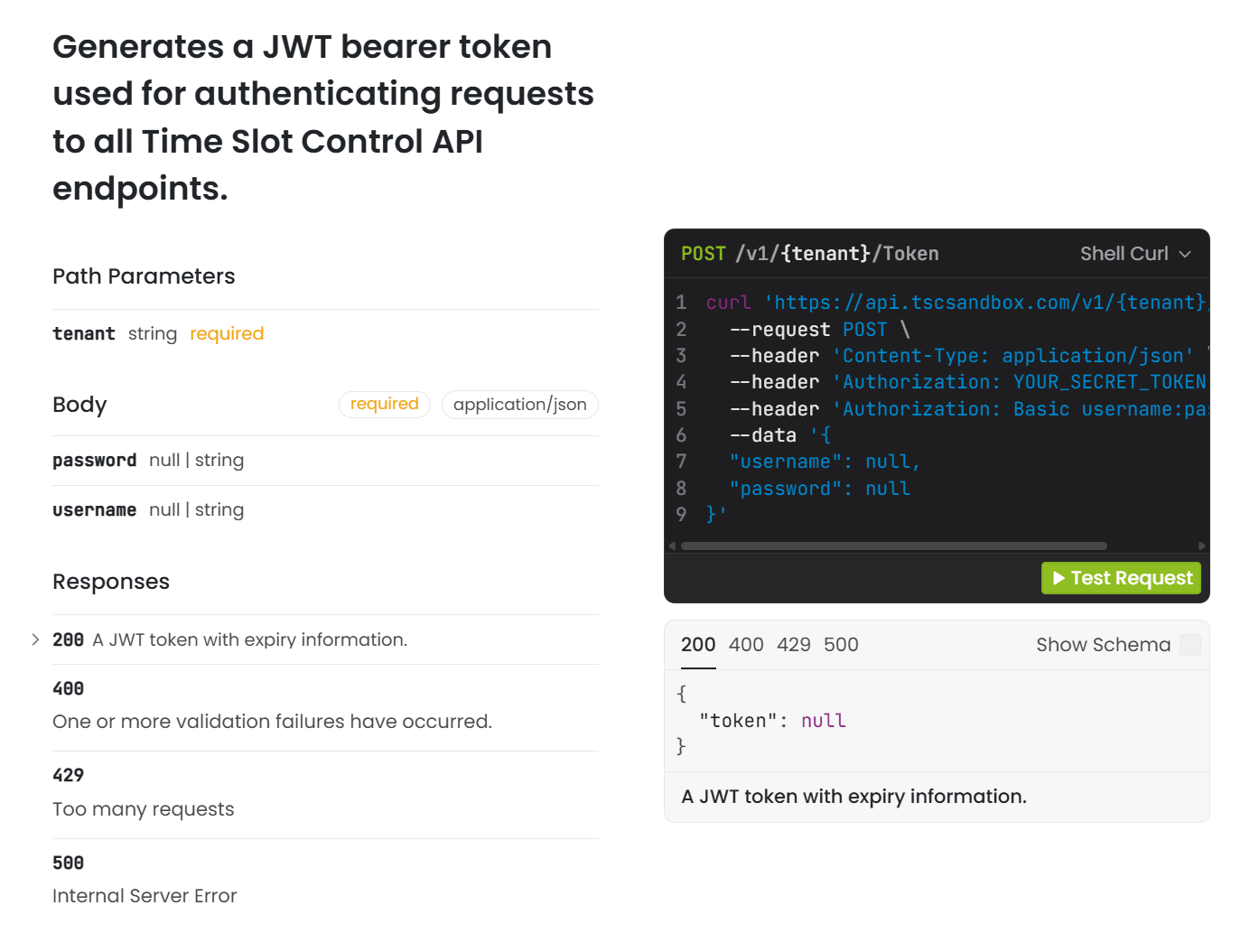
To communicate with the API, you first need to obtain a Bearer Token (JWT) by calling:
POST https://api.timeslotcontrol.com/v1/{tenant}/Token
Where {tenant} is the customer name in the Time Slot Control URL - for example, for https://lotraco.timeslotcontrol.com the tenant is lotraco.
Example request (cURL):
curl -X POST "https://api.tscsandbox.com/v1/{tenant}/Token" \
  -H "accept: application/json" \
  -H "Content-Type: application/json" \
  -d "{\"username\": \"api@yourdomain.com\", \"password\": \"password\"}"
JSON response:
{ "token": "eyJhbGciOi..." }
Use the obtained token in the header of every subsequent request:
curl -X GET "https://api.tscsandbox.com/v1/{tenant}/Ping" \
  -H "Authorization: Bearer eyJhbGciOi..."
There is no need to generate a new token for every request - the token remains valid for a limited period of time.
Generating a token and authenticating in API Reference:
Open API Reference at https://api.tscsandbox.com/ and click Token in the left menu. The POST /v1/{tenant}/Token endpoint will display a form for entering credentials.
Paste the obtained token into the right panel Authentication → Bearer: header → Value:
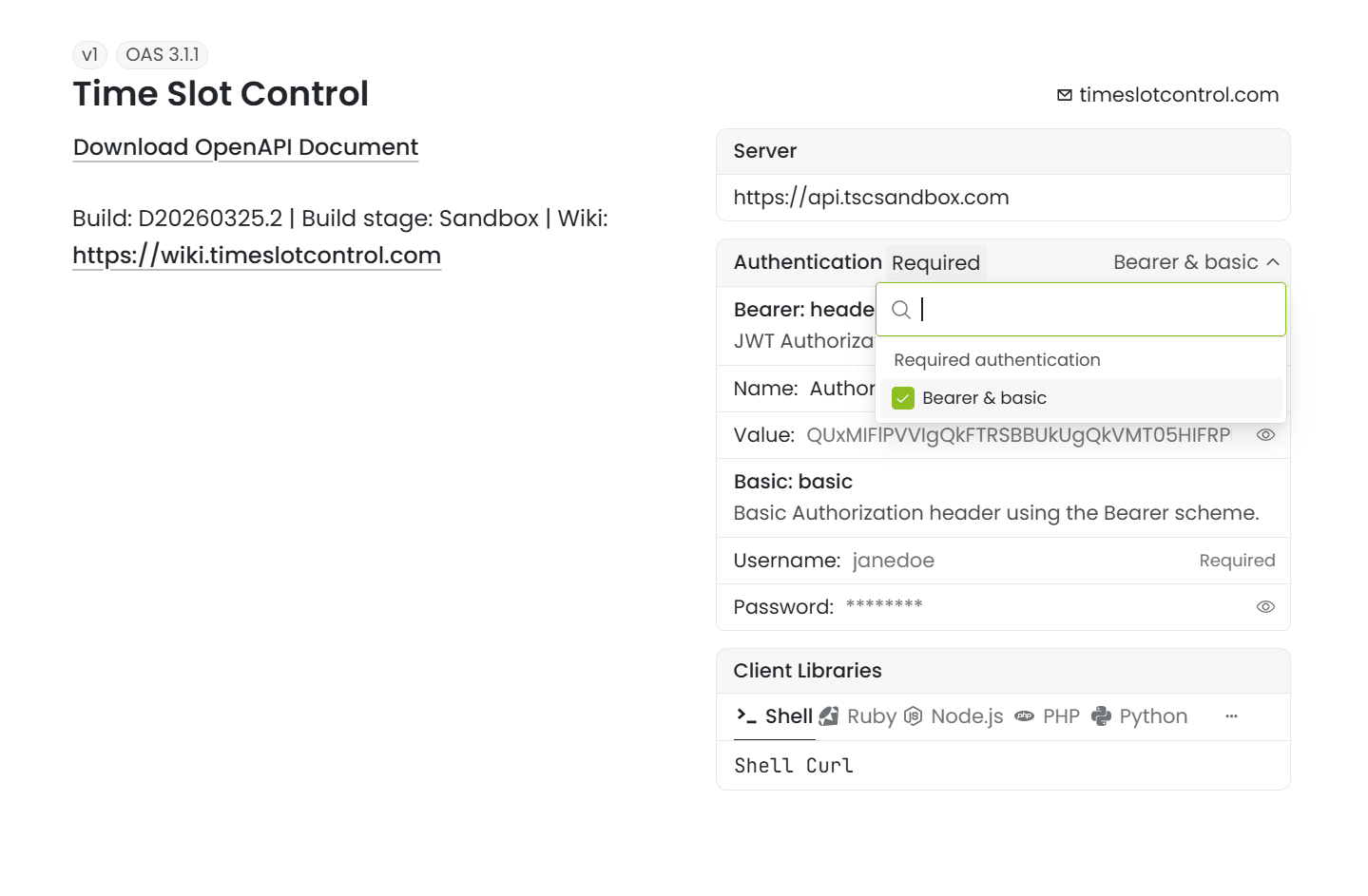
You can then call any API endpoint directly from the interface.