¶ Auctions - Creating an Auction
¶ Creating an auction from the Stack of Orders
An auction is always linked to a specific transport from the Stack of Orders.
The application administrator can create an auction directly from this list.
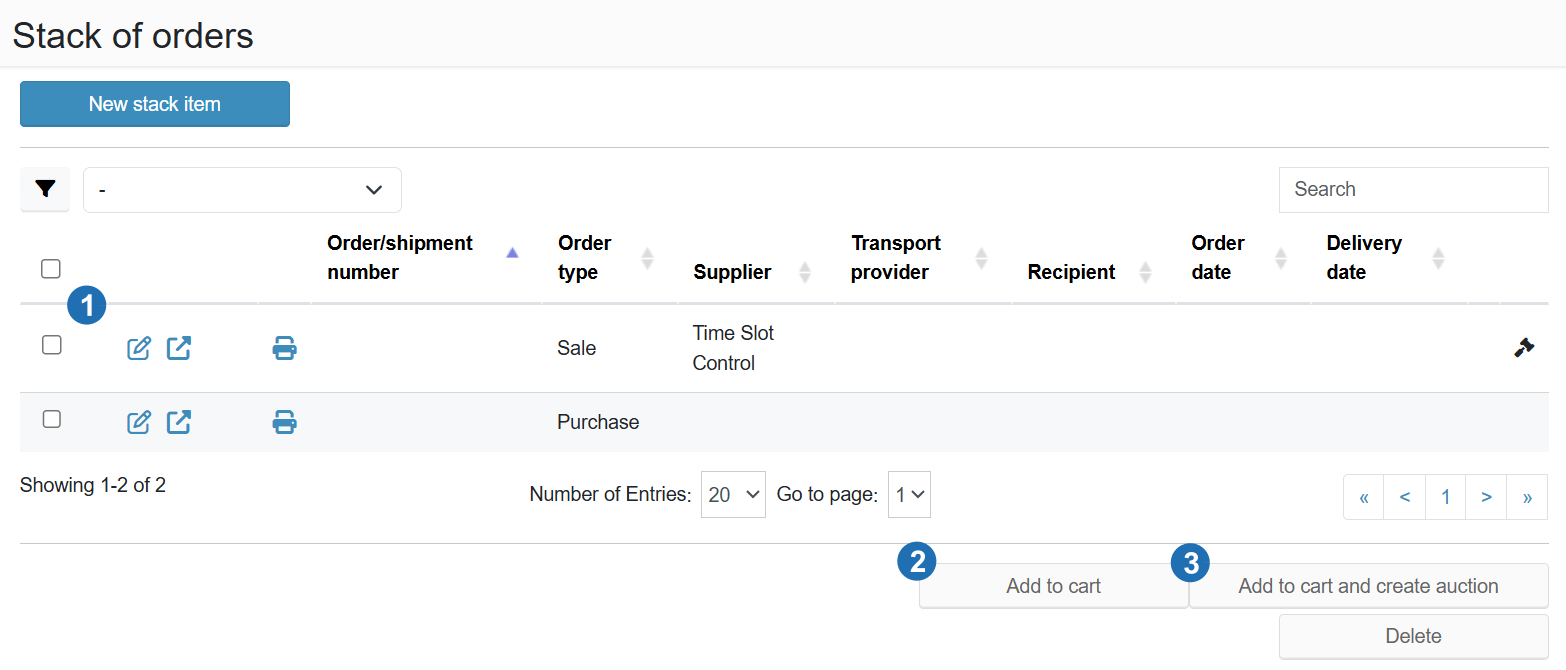
Legend:
- Transport row - select the transport you want to include in the auction
- Add to cart - adds the transport to the cart without immediately creating an auction
- Add to cart and create auction - adds the transport and opens the auction creation form
¶ Steps
- The administrator selects the required transport in the Stack of Orders.
- Clicks Add to cart and create auction.
- The system redirects the user to the new auction creation form.
¶ Creating an auction from the auction overview
An auction can also be created from the section Auctions → Overview → Create.
This method allows creating an auction for transports already located in the Stack of Orders cart.
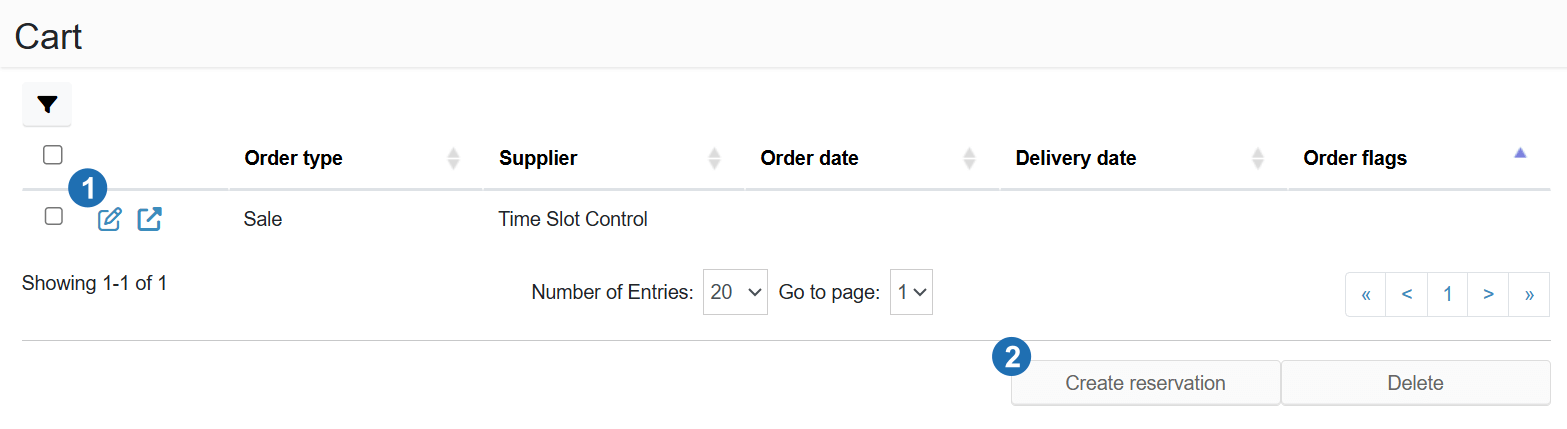
Legend:
- Transport in cart - an order ready to be included in an auction
- Action buttons - Reserve (creates a reservation) or Remove (removes the transport from the cart)
If the cart contains multiple transports, it is possible to create one shared auction for all of them.
¶ Auction creation form
In the form, the administrator sets the basic auction parameters and selects the carriers who can participate in the auction.
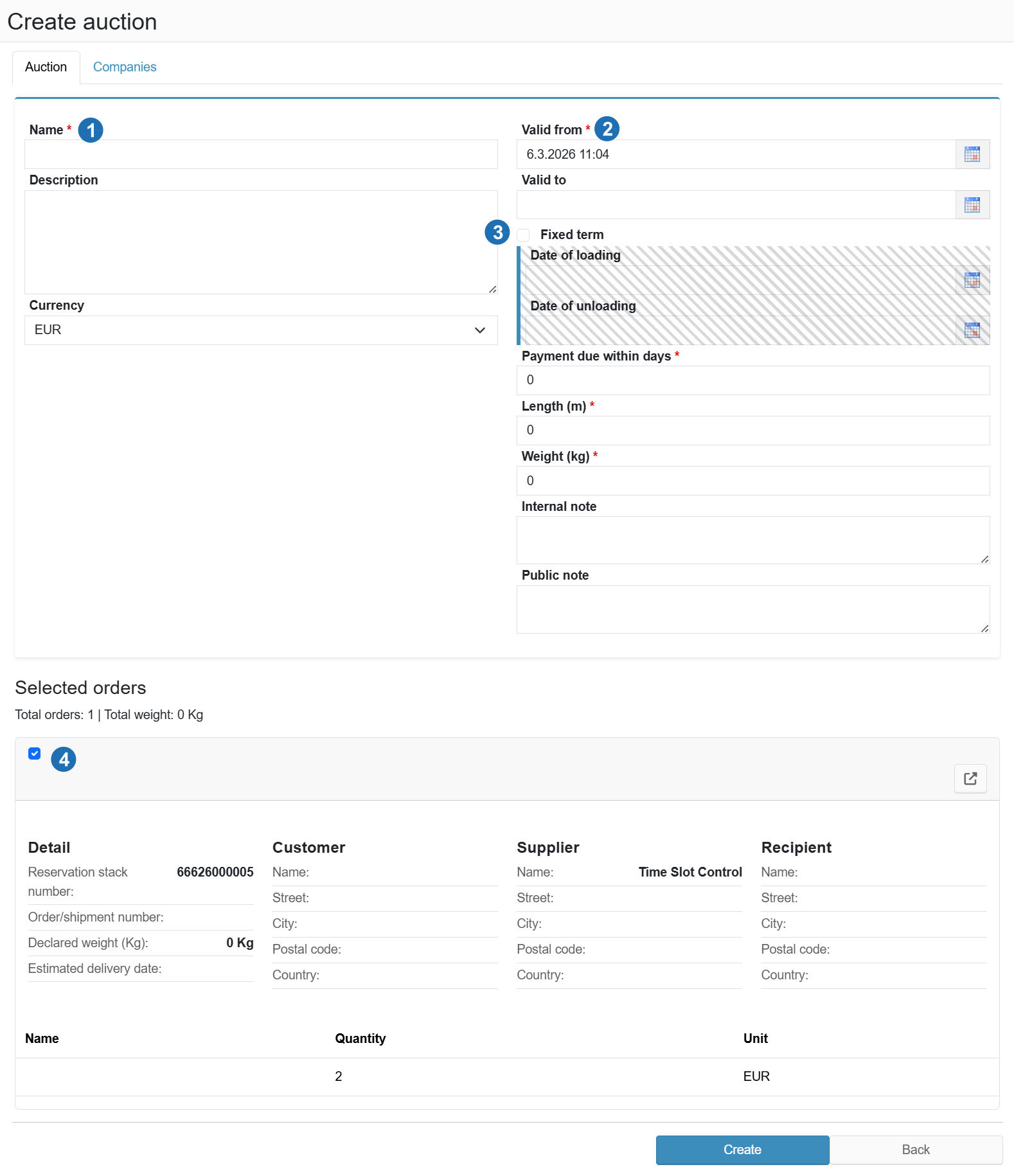
Legend:
- Name - auction title
- Valid from / Valid to - the period during which carriers can submit offers
- Fixed date - toggle for a fixed loading and unloading date; values are filled in from the order in the Stack of Orders
- Selected orders - list of transports included in this auction
¶ Auction settings
The administrator fills in:
- Auction name
- Auction period - the time window during which carriers can submit offers
- Fixed date - if the transport has a fixed loading or unloading date
If Fixed date is active, the system automatically fills in the data from the order stored in the Stack of Orders.
¶ Selecting companies for the auction
On the Companies tab, the administrator selects the carriers who will be invited to submit a transport offer.
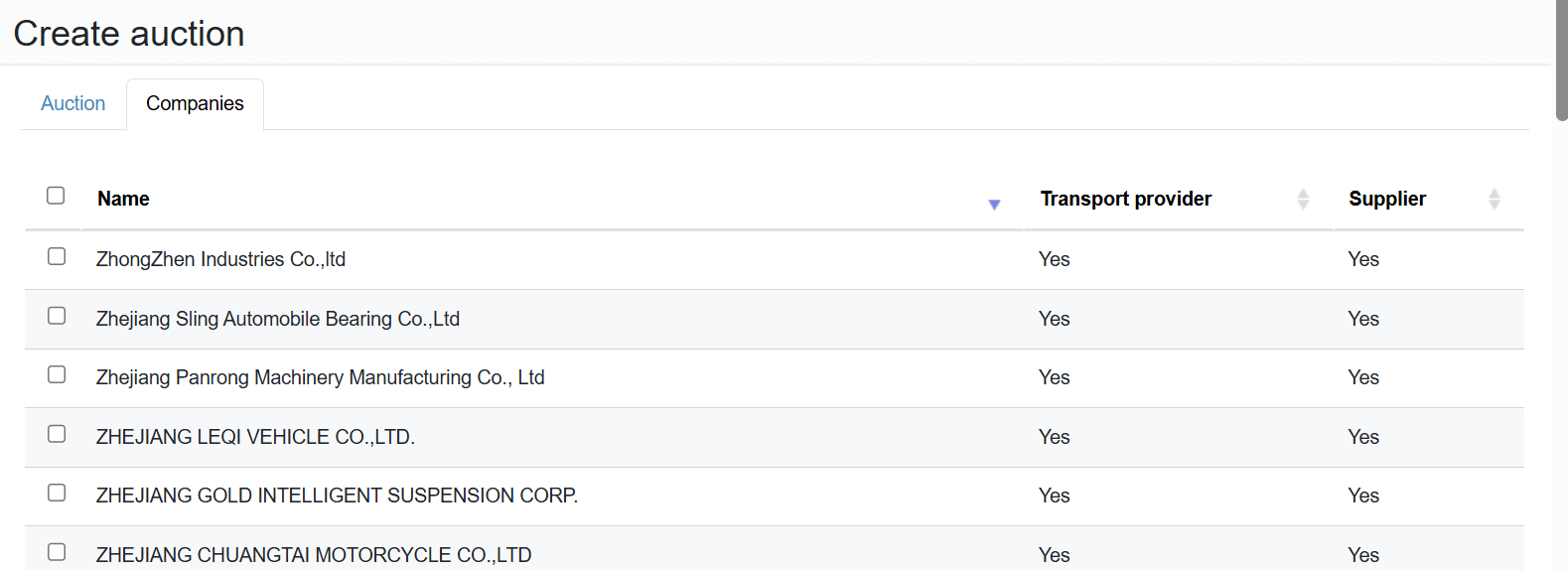
After setting all parameters, the administrator clicks Create.
- The auction is saved to the auction overview.
- By clicking Publish, carriers are notified of the new auction.