¶ Auctions - Auction Workflow
This page describes the complete auction process – from creation through to the assignment of the transport to the winning carrier.
¶ Step 1 – Creating and publishing the auction
The administrator creates the auction and assigns transports and carriers to it. A detailed guide to creating an auction is available on the Creating an Auction page.
After creating the auction, the administrator clicks Publish.
- The system sends a notification to the selected carriers about the new auction.
- Carriers can start submitting offers within the configured time period.
¶ Step 2 – Carrier submits an offer
The carrier opens the auction and enters a price offer for the transport.
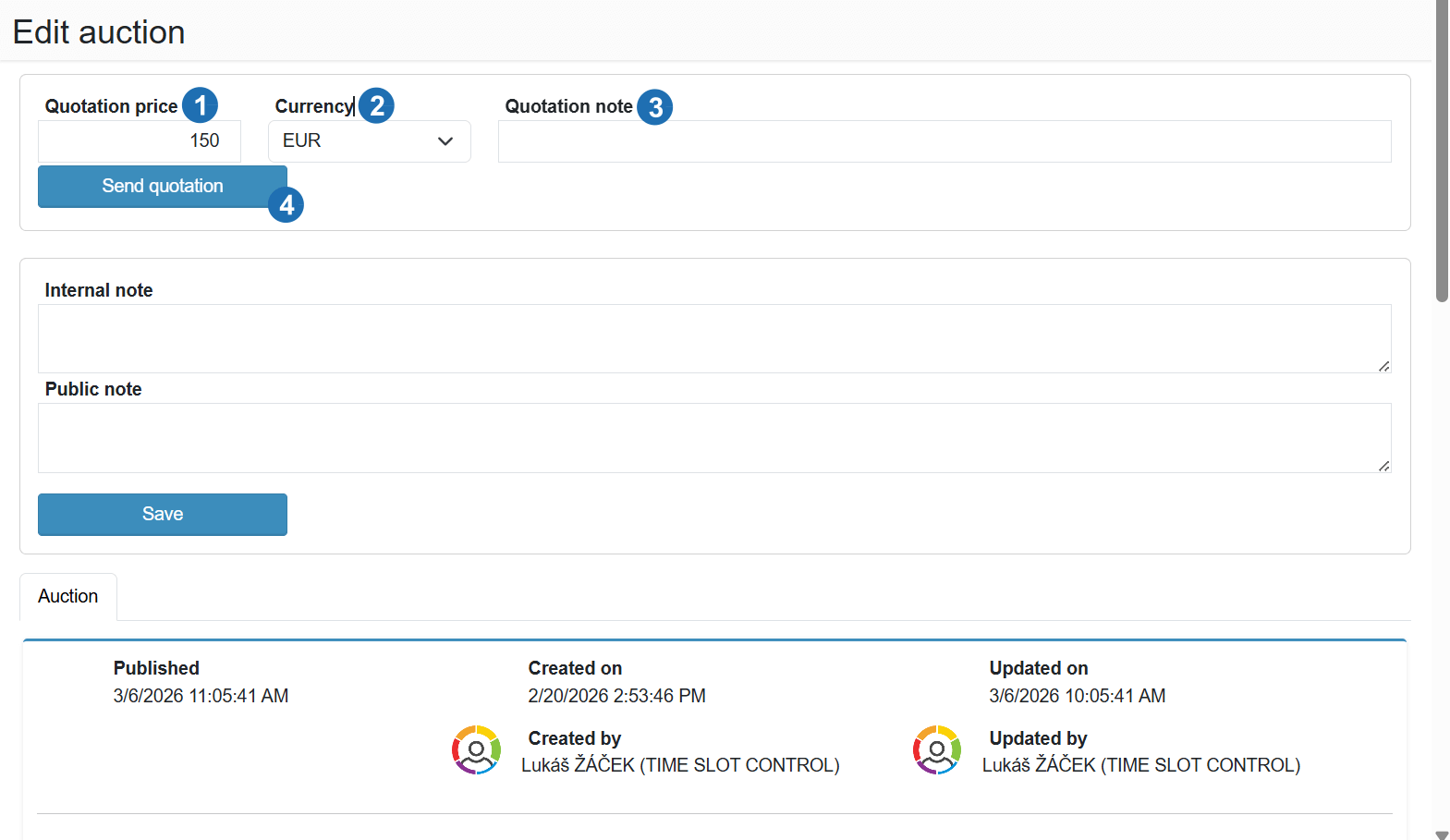
Legend:
- Bid amount - enter the price for the transport
- Currency - select the bid currency
- Bid note - optional message for the auction administrator
- Submit offer - confirms and submits the bid
After entering the price, the carrier clicks Submit offer.
¶ Step 3 – Selecting the winning offer
The administrator sees all offers in the Company tab.
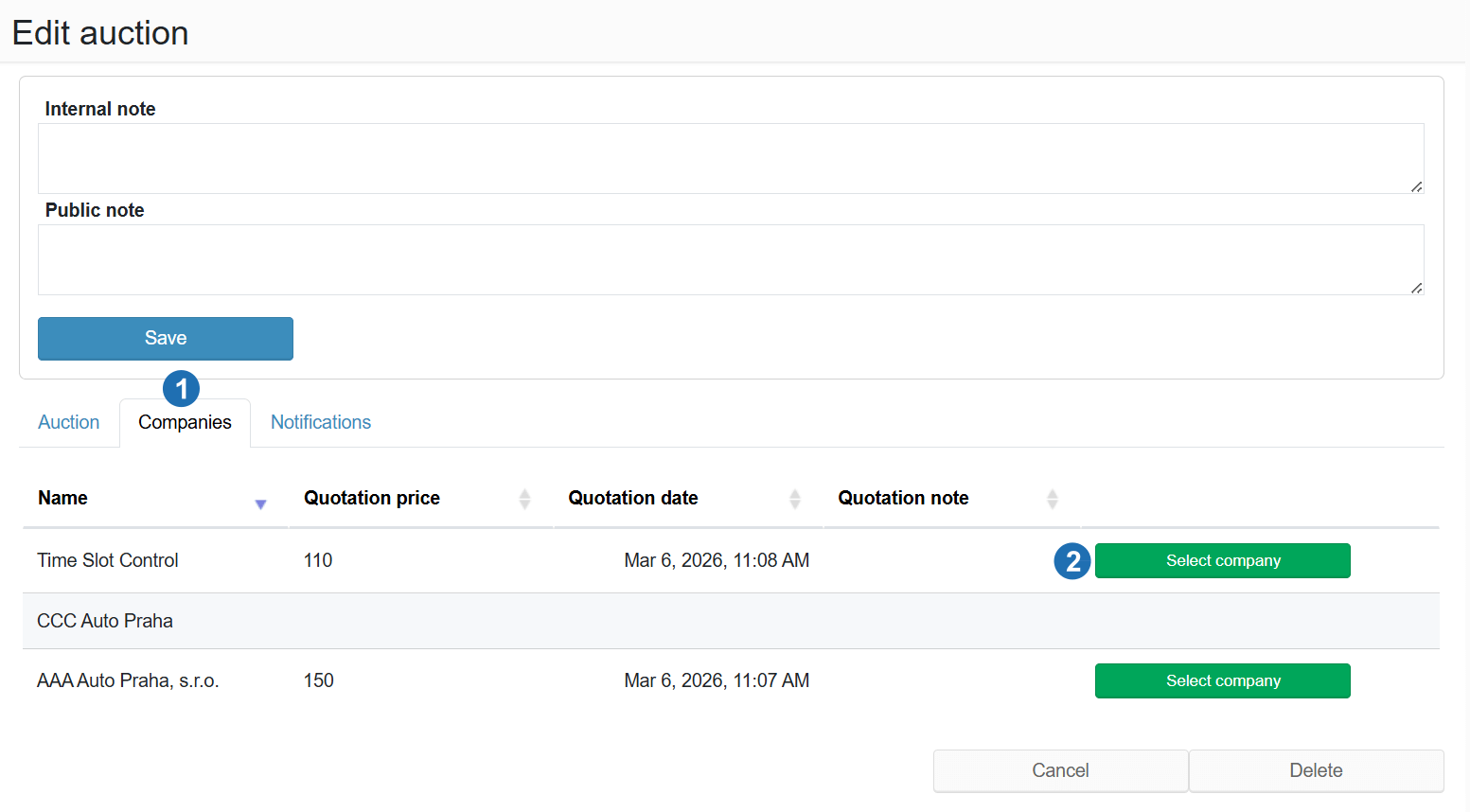
Legend:
- Tabs Auction / Companies / Notifications - auction parameters, submitted offers, and notification settings
- Select company - confirms the winning carrier and assigns them the transport
By clicking Select company:
- the winning carrier is assigned to the transport
- the transport appears in the carrier's Stack of Orders
- the carrier can proceed by creating a time slot reservation
¶ Auction notifications
The system automatically sends notifications for important auction events:
- New auction
- Auction ended
- Submitted amount was accepted
- Submitted amount was not accepted
- Auction contains all offers