¶ Time Slot Control - Types of view
Overview of four view types for planning, monitoring, and evaluating logistics operations.
The view switcher is used to switch between different ways of displaying logistics operations.
It is located in the top right corner of the application.
After logging in, the Day - Plan view is displayed by default.

¶ Available view types
The application offers four main view types:
- Day - Plan
- Day - Actual
- Gate Security
- Long-term Overview
Each of them serves a different type of work with data.
¶ Day - Plan
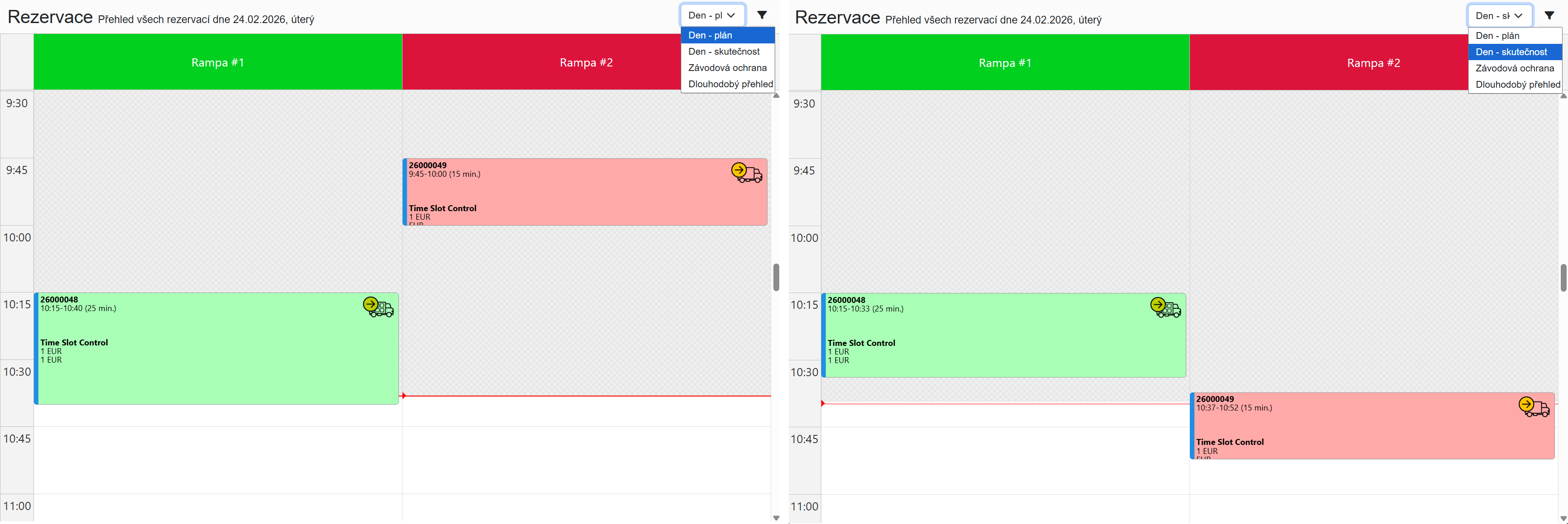
The basic working view for day-to-day planning.
Displays:
- planned reservations for the selected day
- their time distribution across individual docks
Primarily used for:
- planning logistics operations
- overview of dock utilization
- organizing warehouse work
¶ Day - Actual
Displays the actual progress of transports and real dock utilization.
Allows you to compare:
- planned state
- actual progress
This makes it easy to evaluate:
- delays
- early arrivals
- actual handling times
For each reservation, two rows are displayed side by side:
- top row — planned time (e.g. 10:00–10:58, duration 58 min)
- bottom row — actual progress (e.g. arrival 9:55, departure 10:42, duration 47 min)
¶ Gate Security
A view designed for gate security staff.
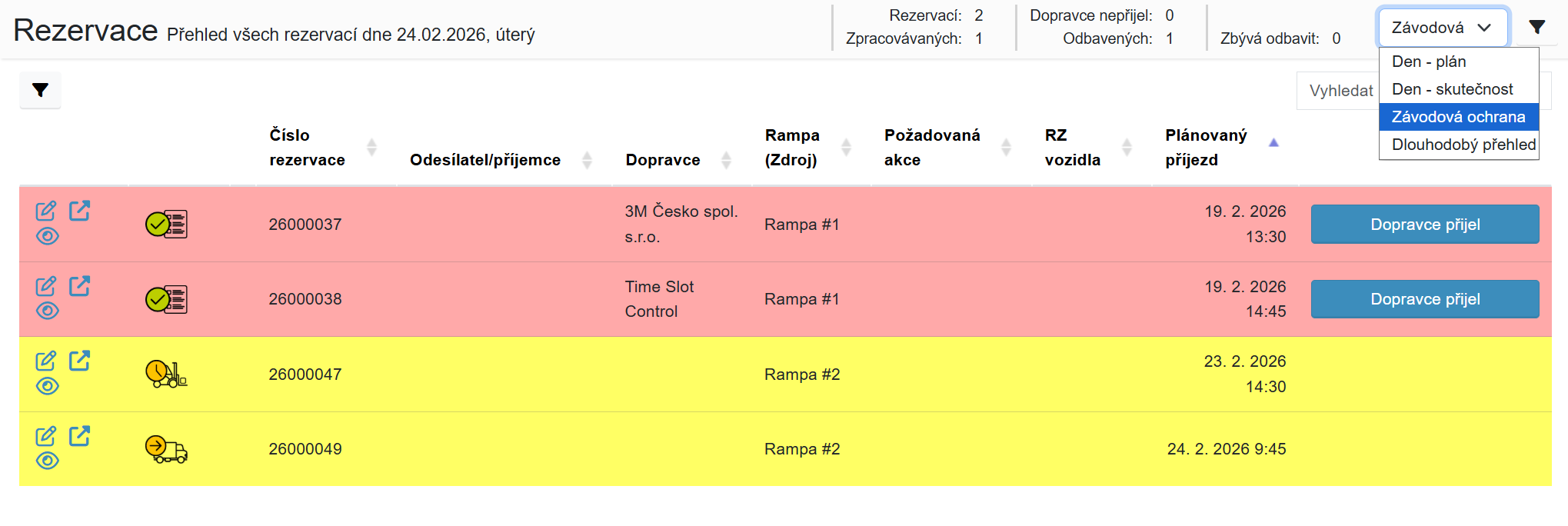
Contains a clear table of all transports scheduled for the selected day.
Allows:
- recording vehicle arrival — Carrier arrived button
- recording vehicle departure — Carrier departed button
The table is sorted by planned arrival time. Reservations where arrival has been recorded are highlighted in green.
The view does not display detailed reservation information — it is intended solely for basic vehicle movement tracking.
¶ Long-term Overview
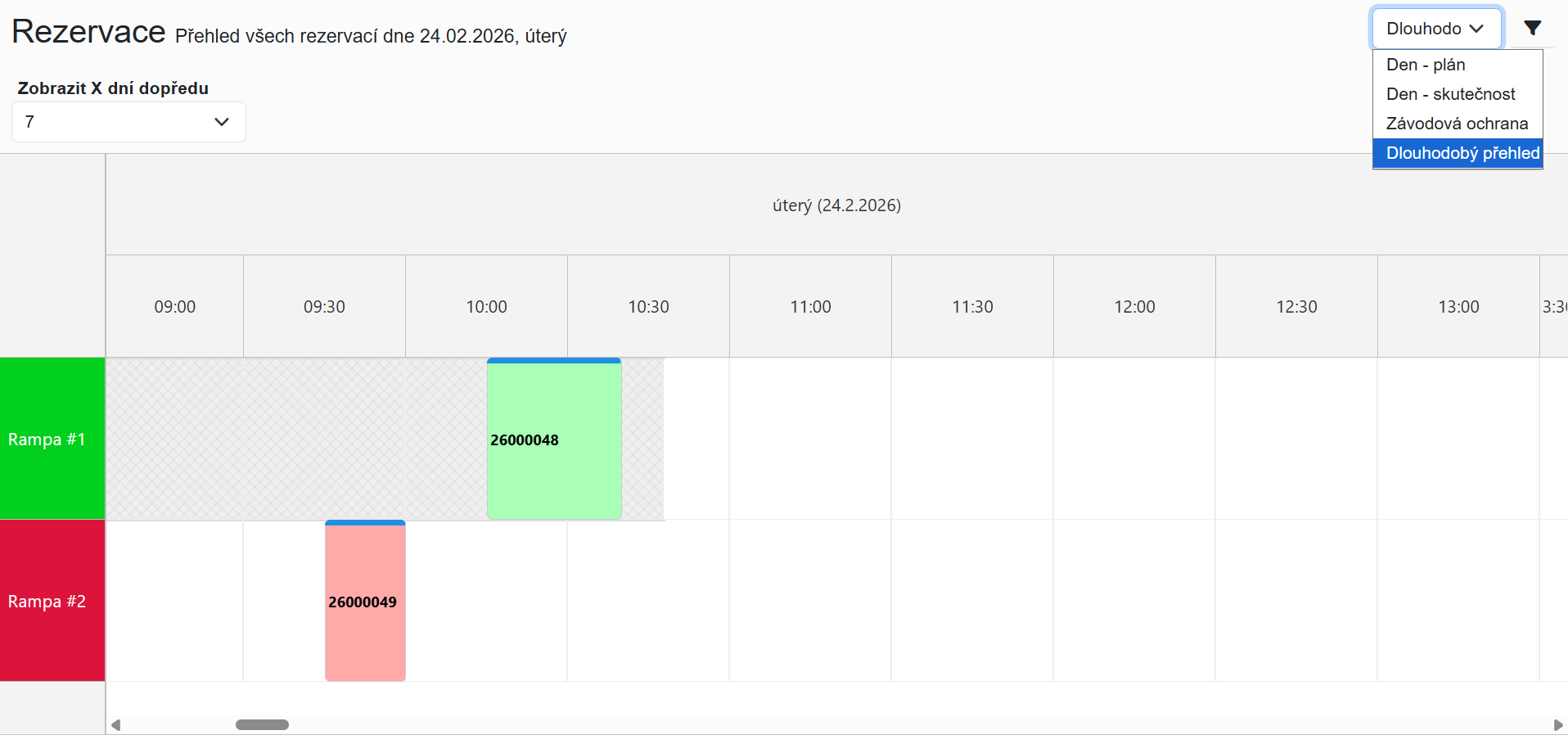
Used for planning capacity multiple days ahead.
Displays:
- utilization of individual docks
- overview of reservations over a longer time horizon
Helps to:
- plan shifts
- optimize capacity
- identify peak periods
Dock utilization is displayed as a heat map — the colour of each cell corresponds to the occupancy level of a given dock at a given time. Hovering over a cell shows a tooltip with precise details. Clicking a cell opens an action dialog where you can directly create or edit a reservation.
The range of displayed days and other view parameters can be configured in System Settings.