¶ Reservation - Color Modes
¶ Reservation status overview
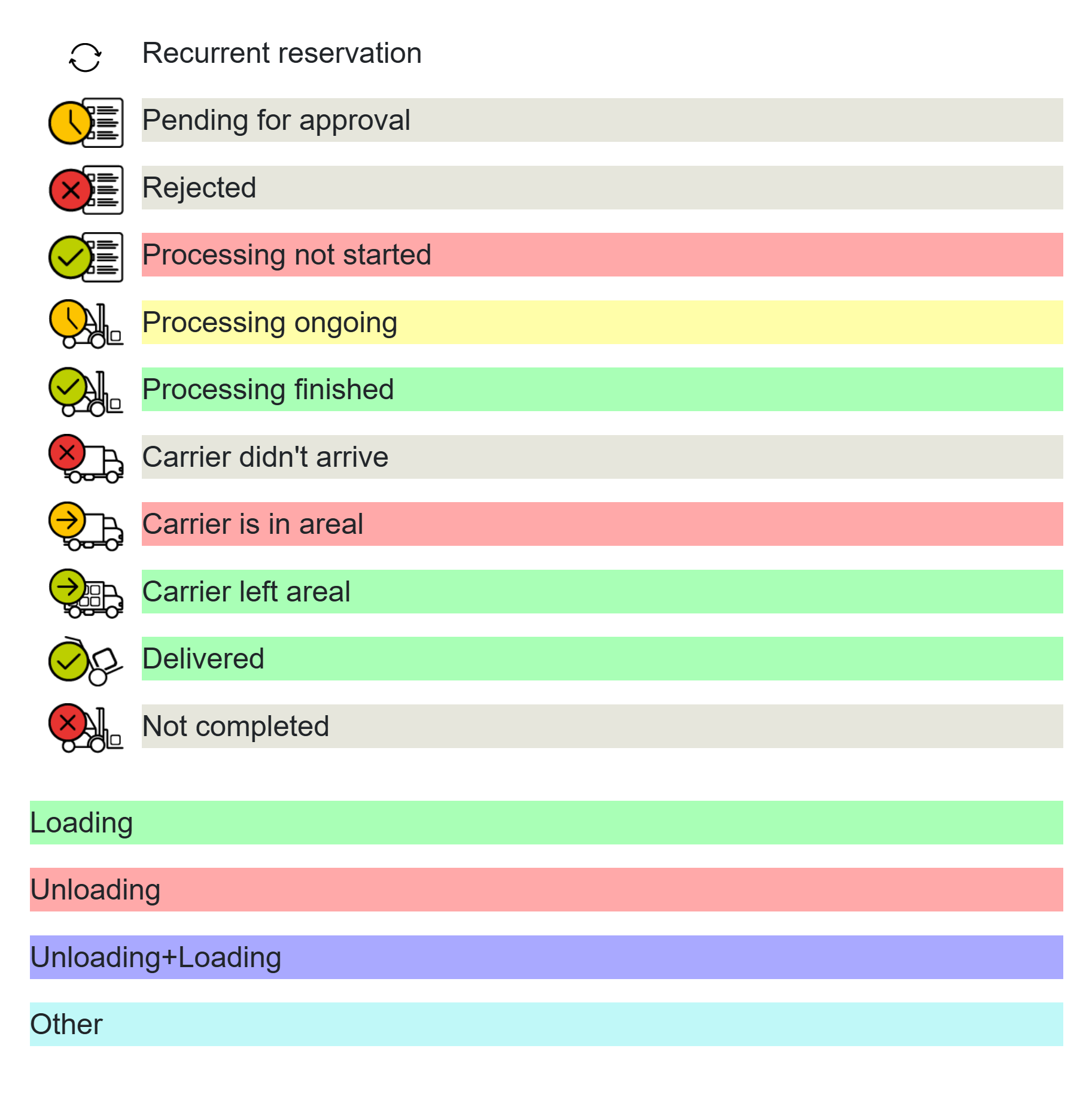
Each reservation status has its own color and pictogram. To help users navigate the individual statuses - workflow steps - Time Slot Control uses a traffic light system. This helps visually distinguish the individual steps.
A number of color modes are available. The active mode is configured in System settings - Overview.
¶ Mode 1
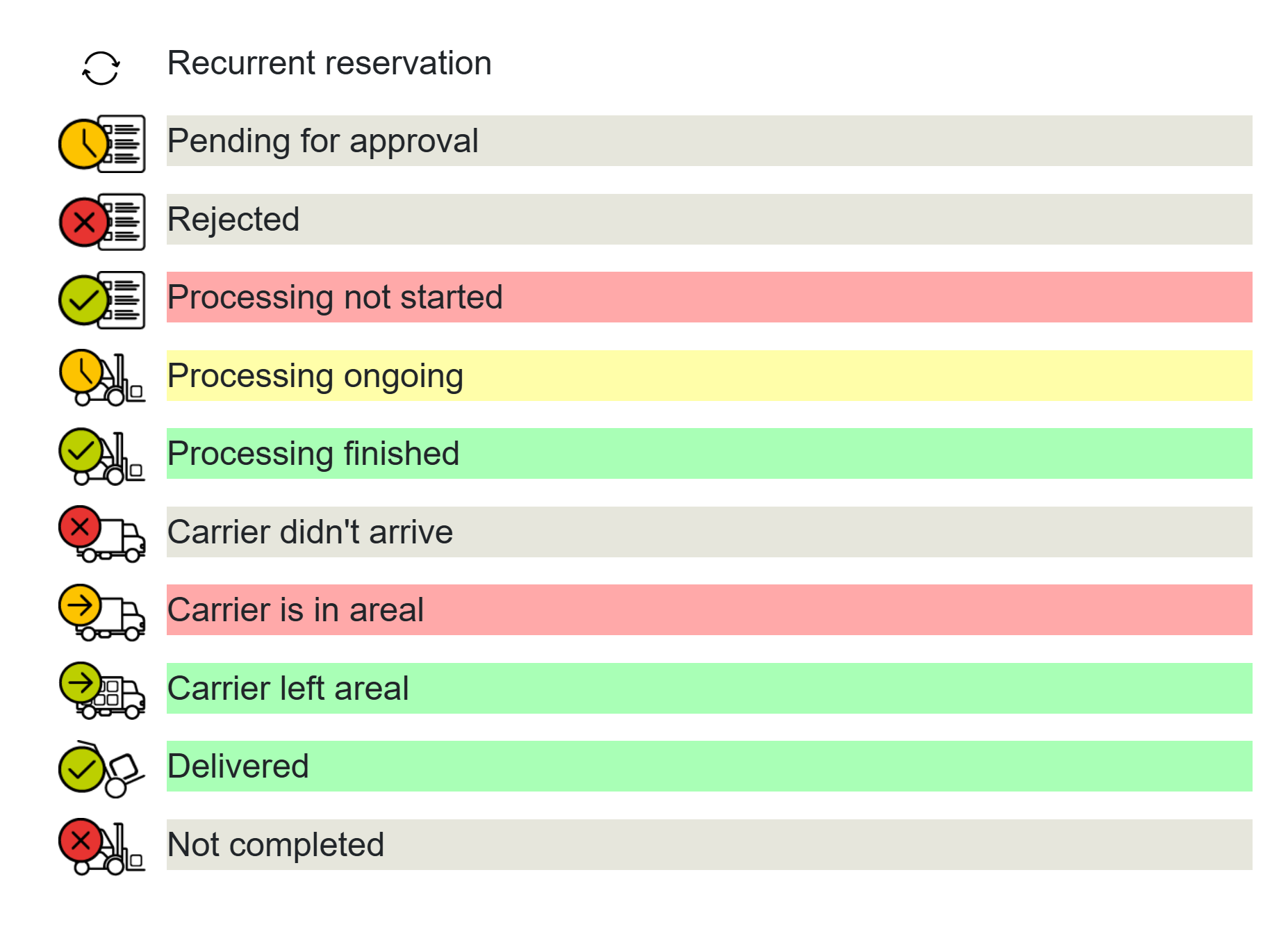
Default color scheme. Reservations waiting for handling are red, ongoing processing is yellow and completed is green. Carrier no-show is distinguished by gray.
¶ Mode 2
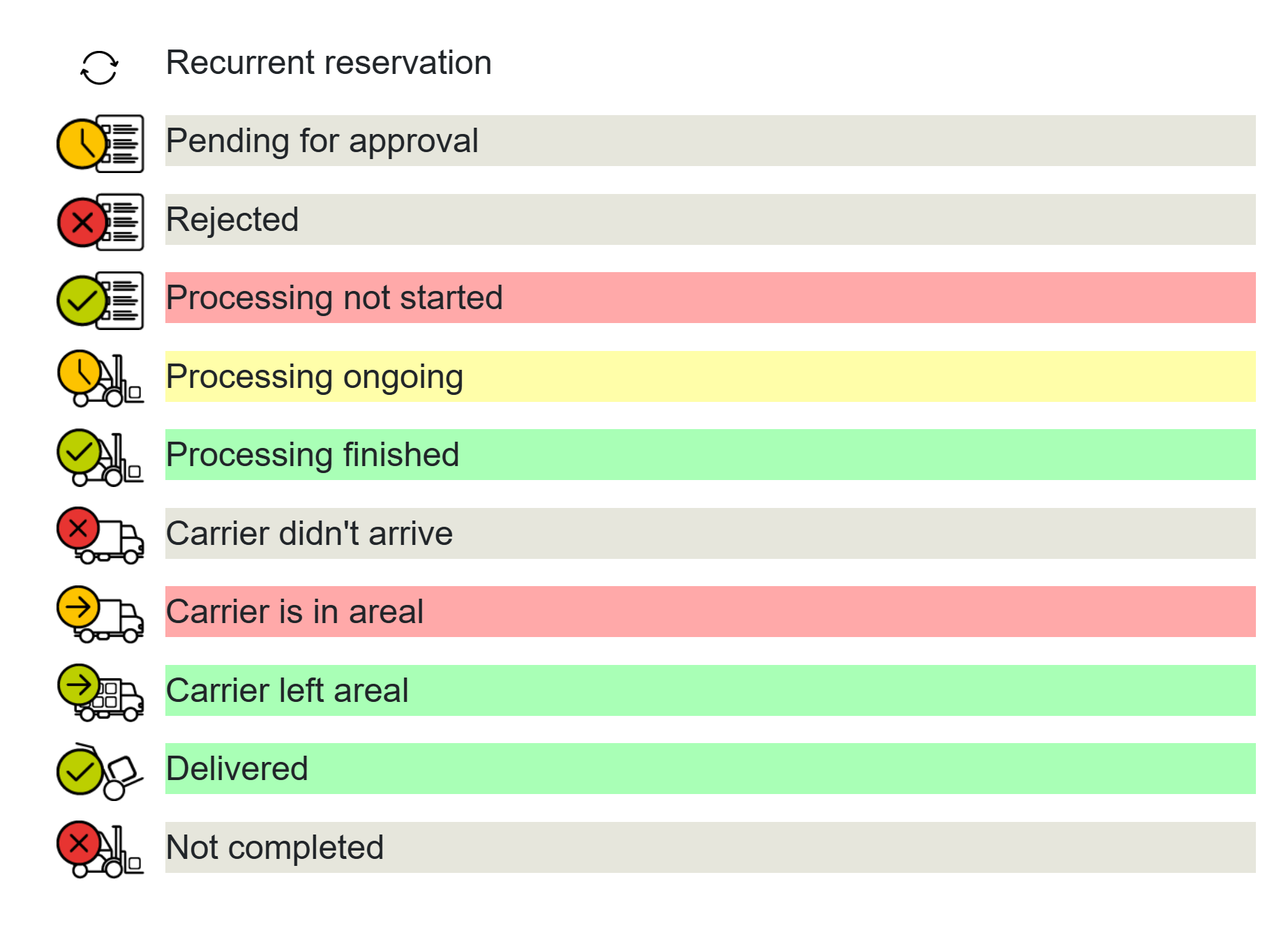
Inverted variant of Mode 1. Waiting and arrival are gray, completed is green and red marks only the carrier no-show.
¶ Mode 3
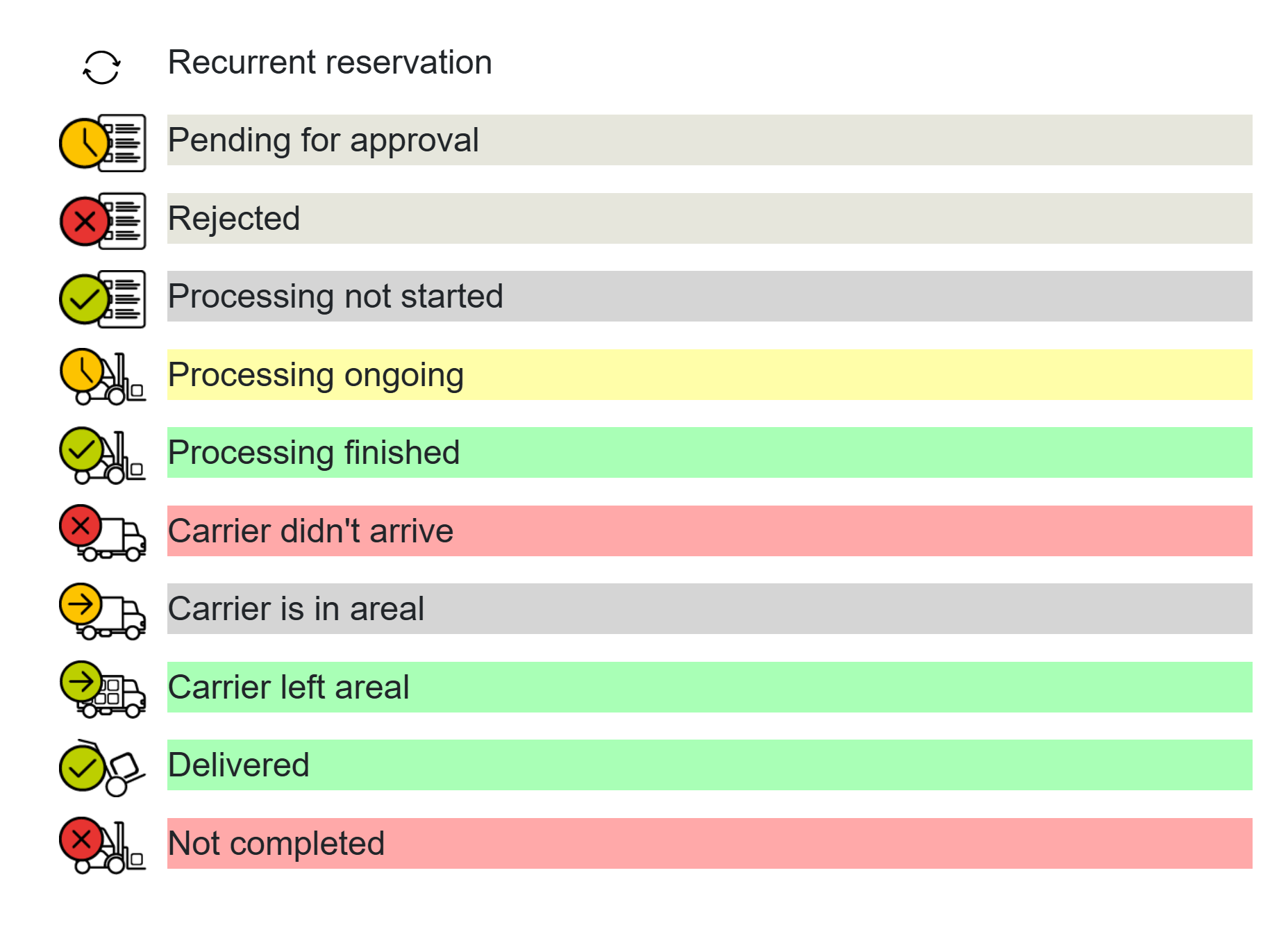
Carrier arrival is highlighted in light blue. Carrier departure returns to red, making it easier to track vehicle movement on site.
¶ Mode 4
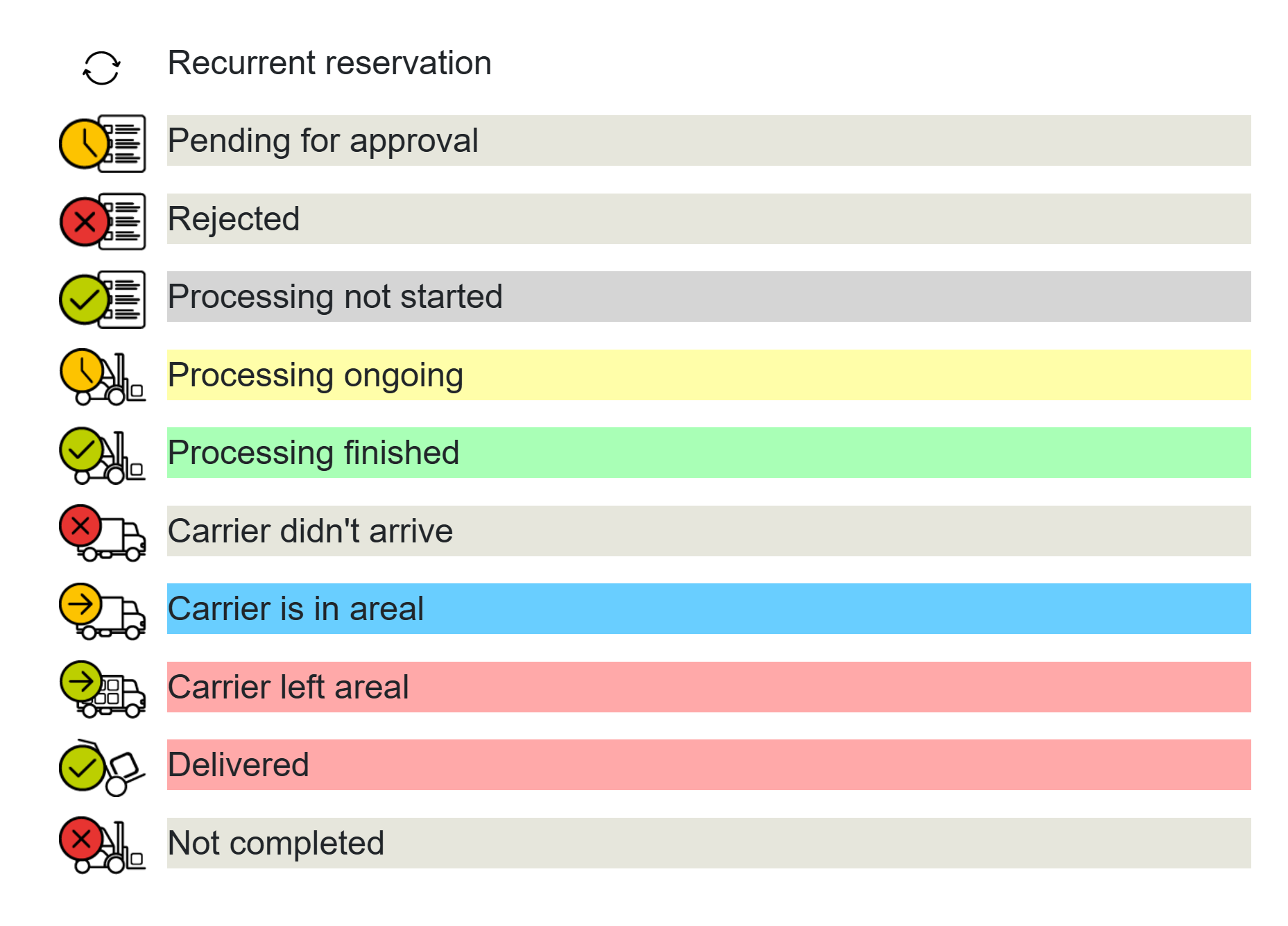
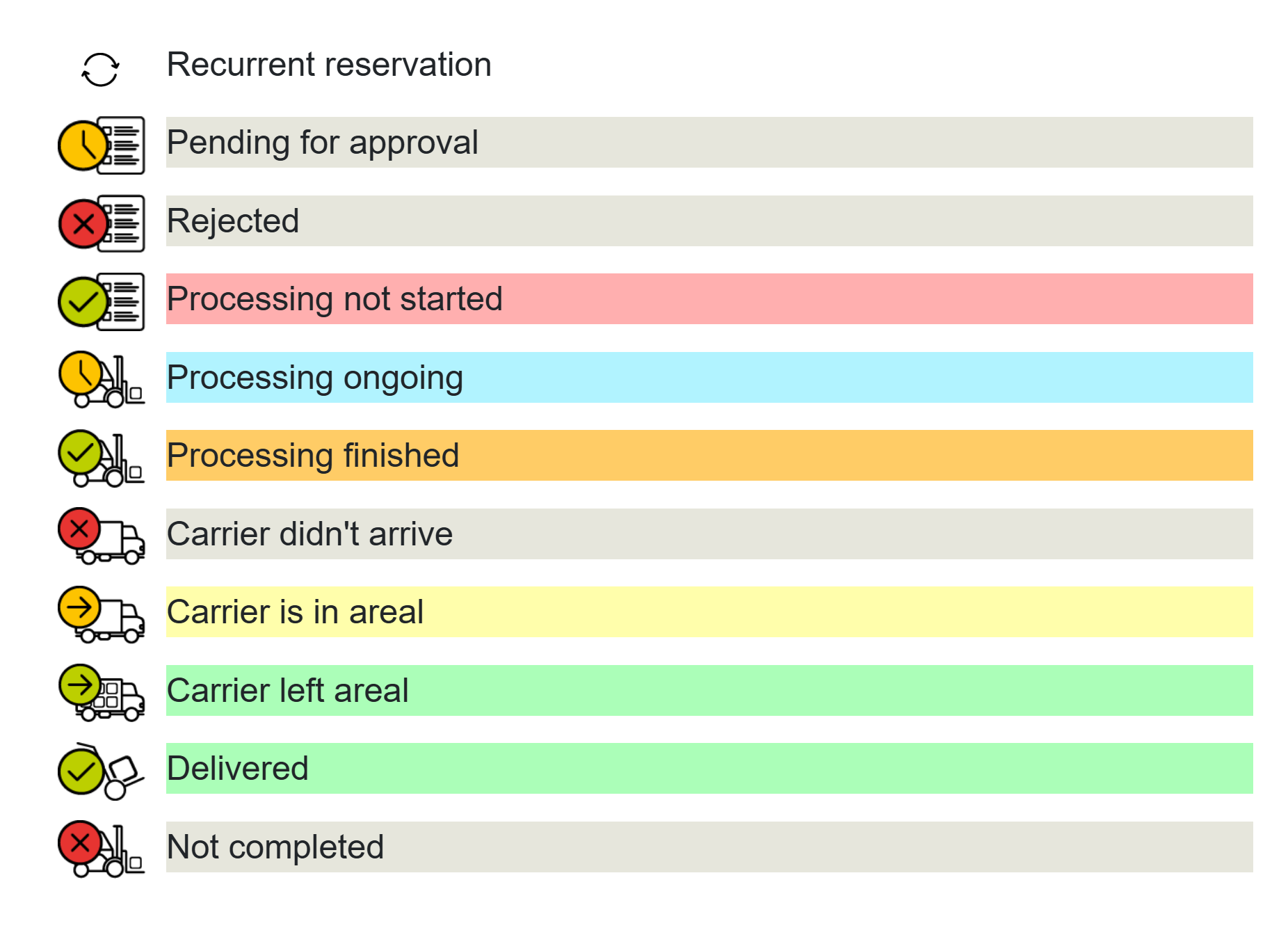
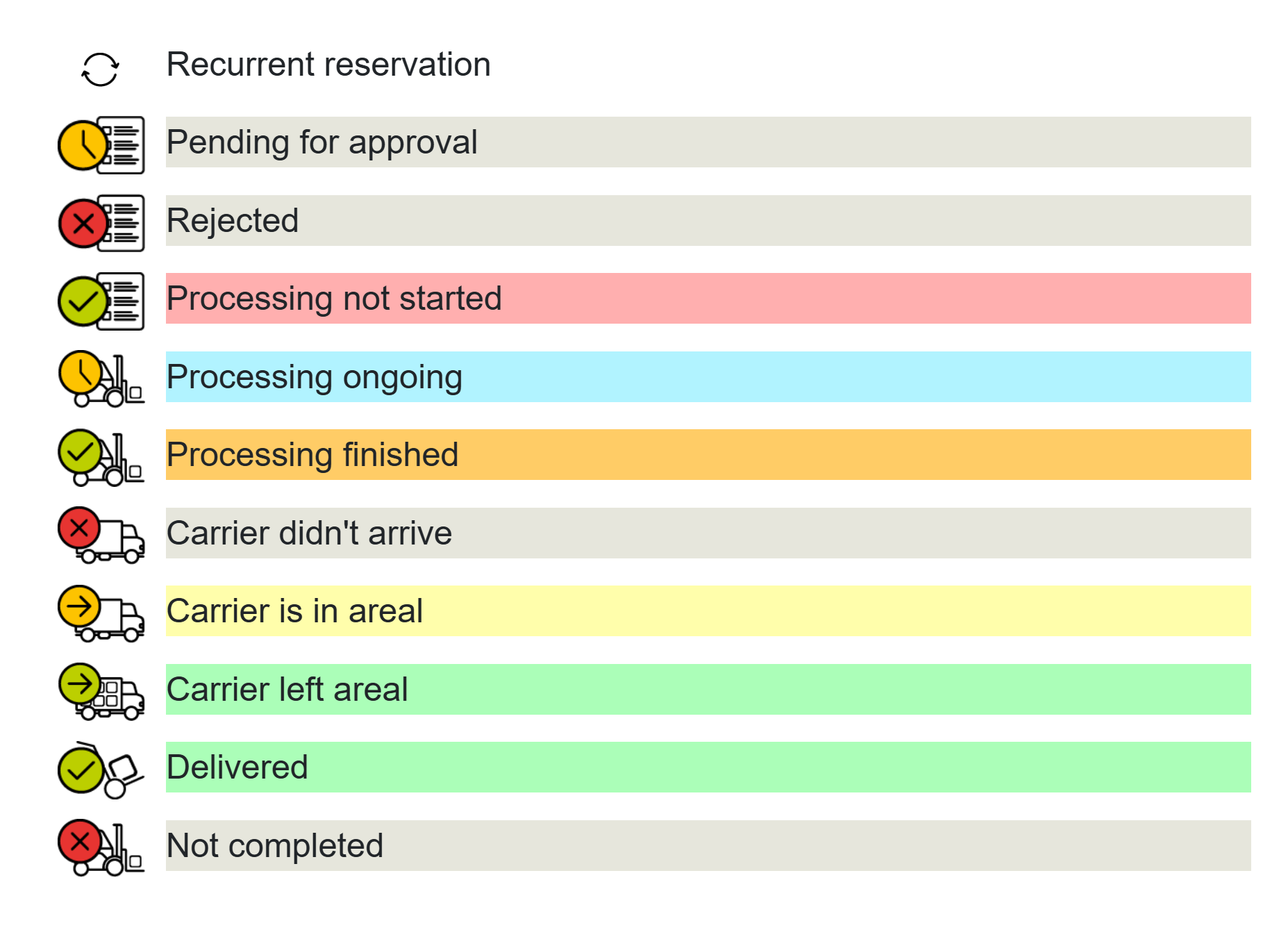
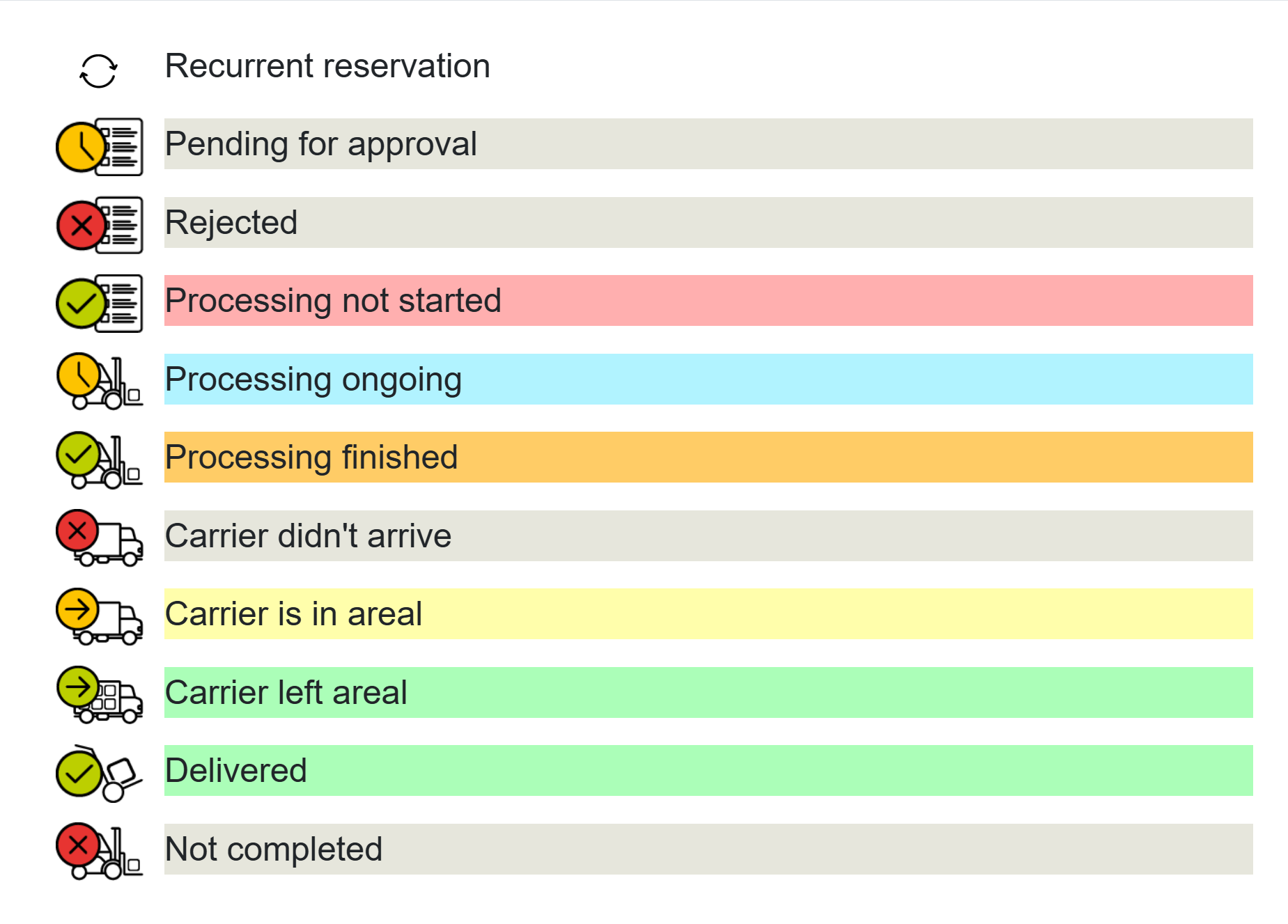
Each process phase has a distinct color - the scheme uses a wider palette for maximum clarity: red, yellow, blue, orange, green.
¶ Mode 5
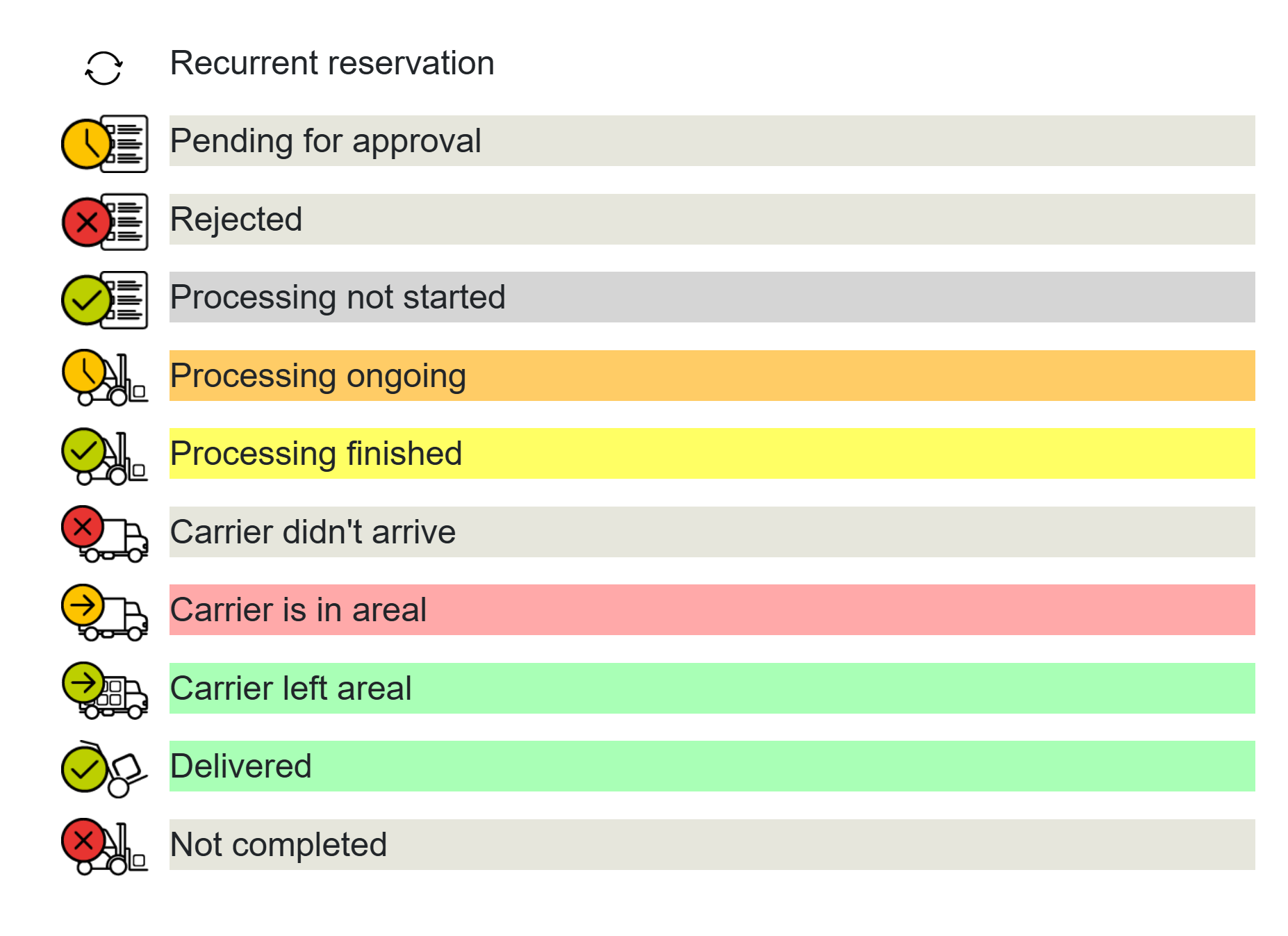
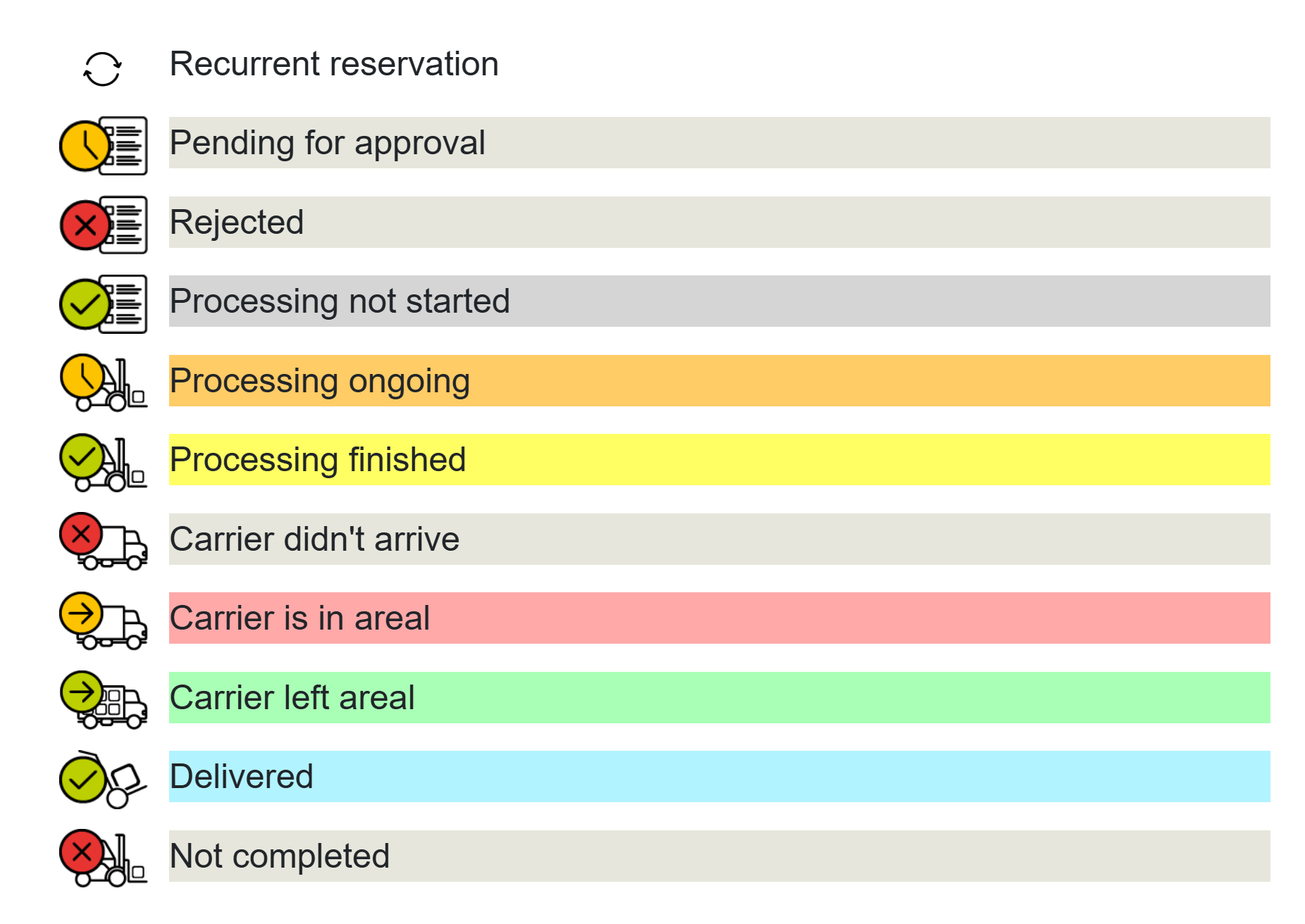
Active-phase oriented scheme - gray for waiting, red for arrival, orange for processing and bright yellow for completion.
¶ Mode 7
Carrier arrival is highlighted in yellow, processing and completion remain in green shades.
¶ Mode 8
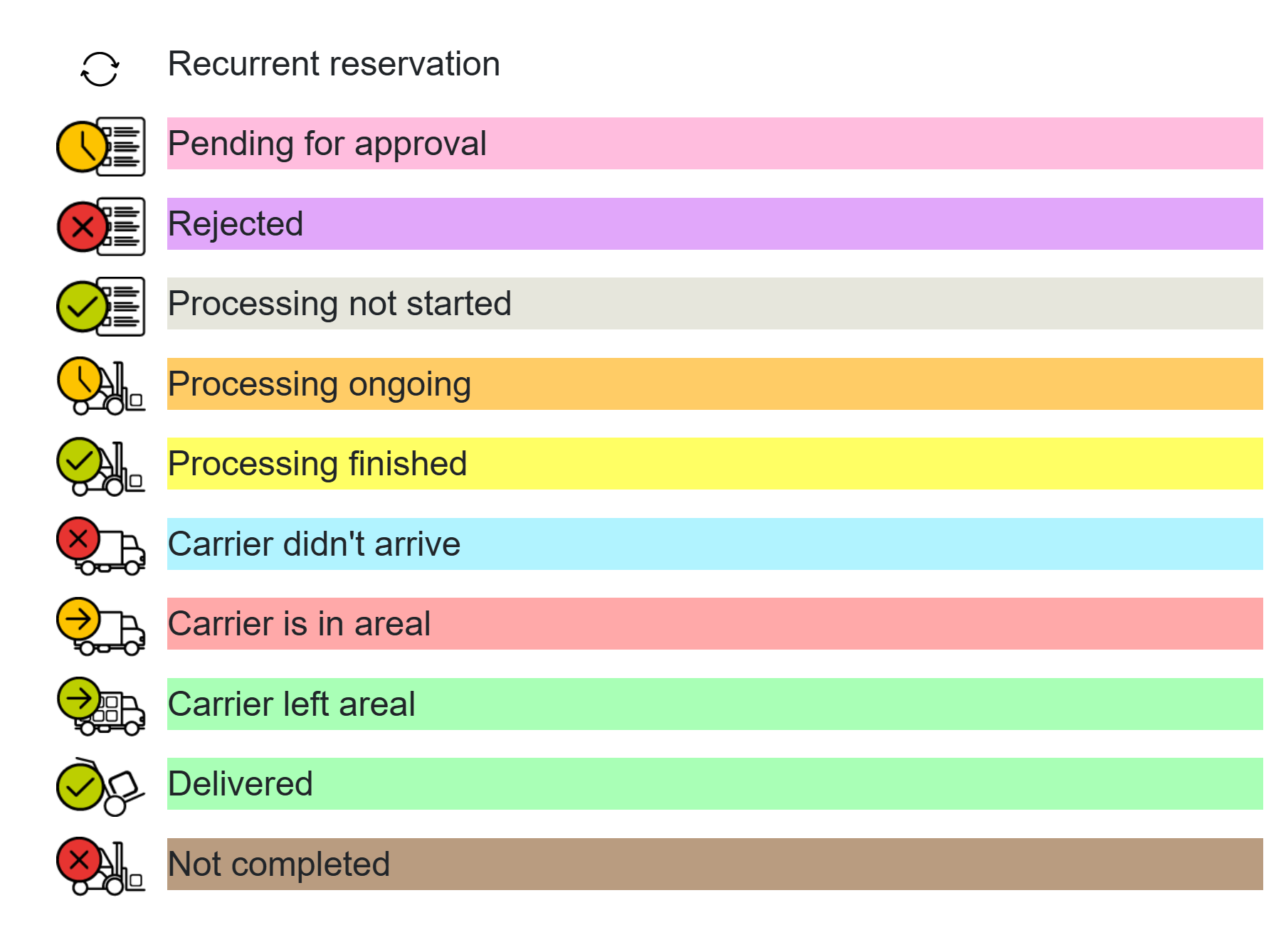
Approval is highlighted in pink, rejection in purple. Processing phases use warm orange and yellow tones.
¶ Request type
Special mode - the reservation color is determined by the type of action (loading, unloading, combination), not by the process status.