¶ System Settings - Reservation Approval
The Reservation Approval tab covers:
- Default states for new reservations
- IPP approval process
- Time slot blocking rules
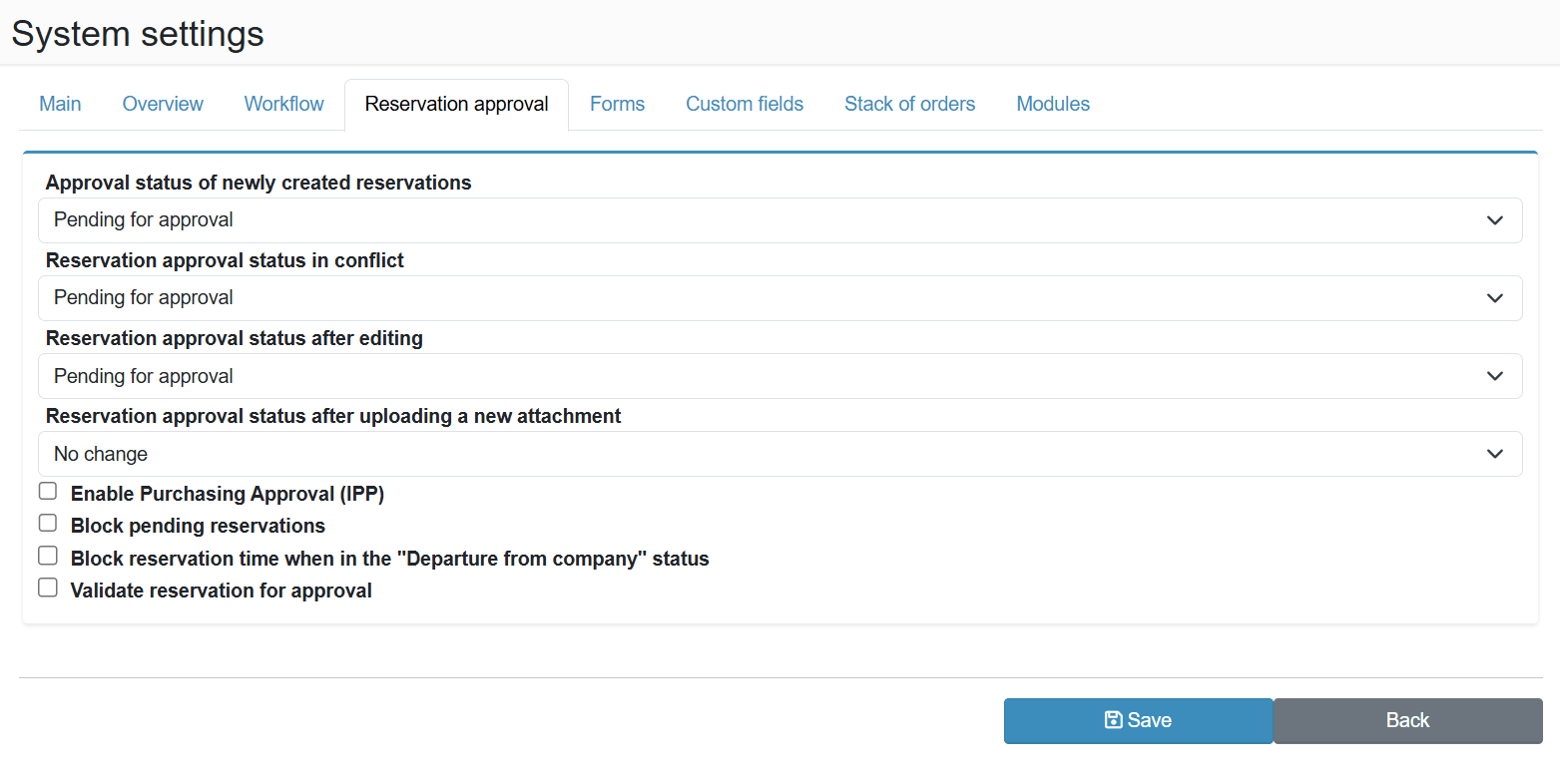
¶ Reservation Approval
Approval status of newly created reservations
The state assigned to a reservation immediately after it is created. If end users (carriers) can also create reservations, it is recommended to set this to Pending for approval so that an internal staff member can review and approve it first.
Reservation approval status in conflict
The state assigned to a reservation that is in conflict with another reservation at the time of creation. It is generally not desirable to auto-approve conflicting reservations - setting this to Pending for approval ensures the conflict is reviewed before confirmation.
Reservation approval status after editing
Defines what happens to the approval state of a reservation when it is modified after approval. Typically configured to revert to Pending for approval - commonly used when the pallet count or unloading time changes and re-approval is required.
Reservation approval status after uploading a new attachment
Defines what happens to the approval state when a new attachment is added to an already approved reservation. Similar to editing, this can be set to revert to Pending for approval if the attached documents require re-evaluation.
Enable Purchasing Approval (IPP)
Activates the advanced approval process with delegation to a specific approver. Useful when a third party or warehouse manager decides on goods acceptance - the reservation cannot be confirmed without their explicit approval. For details, see the Reservation Approval (IPP) guide .
Block reservation time in "Pending approval" state
Prevents additional reservations from being created in the same time slot while existing ones are still pending approval or rejection. This stops multiple shipments from flooding a single slot before any are confirmed.
Block reservation time in "Departure from premises" state
Keeps the time slot blocked even after the vehicle has departed. Used when the actual arrival differs from the planned time but the slot must remain reserved for planning and further processing purposes.
Validate reservation for approval
When enabled, reservations can only be approved through the Pending for approval table. This prevents bypassing the approval process by directly editing a reservation outside the standard approval queue.